


AAWireless TWO and TWO+ Launch: Native CarPlay and Physical Profile Button
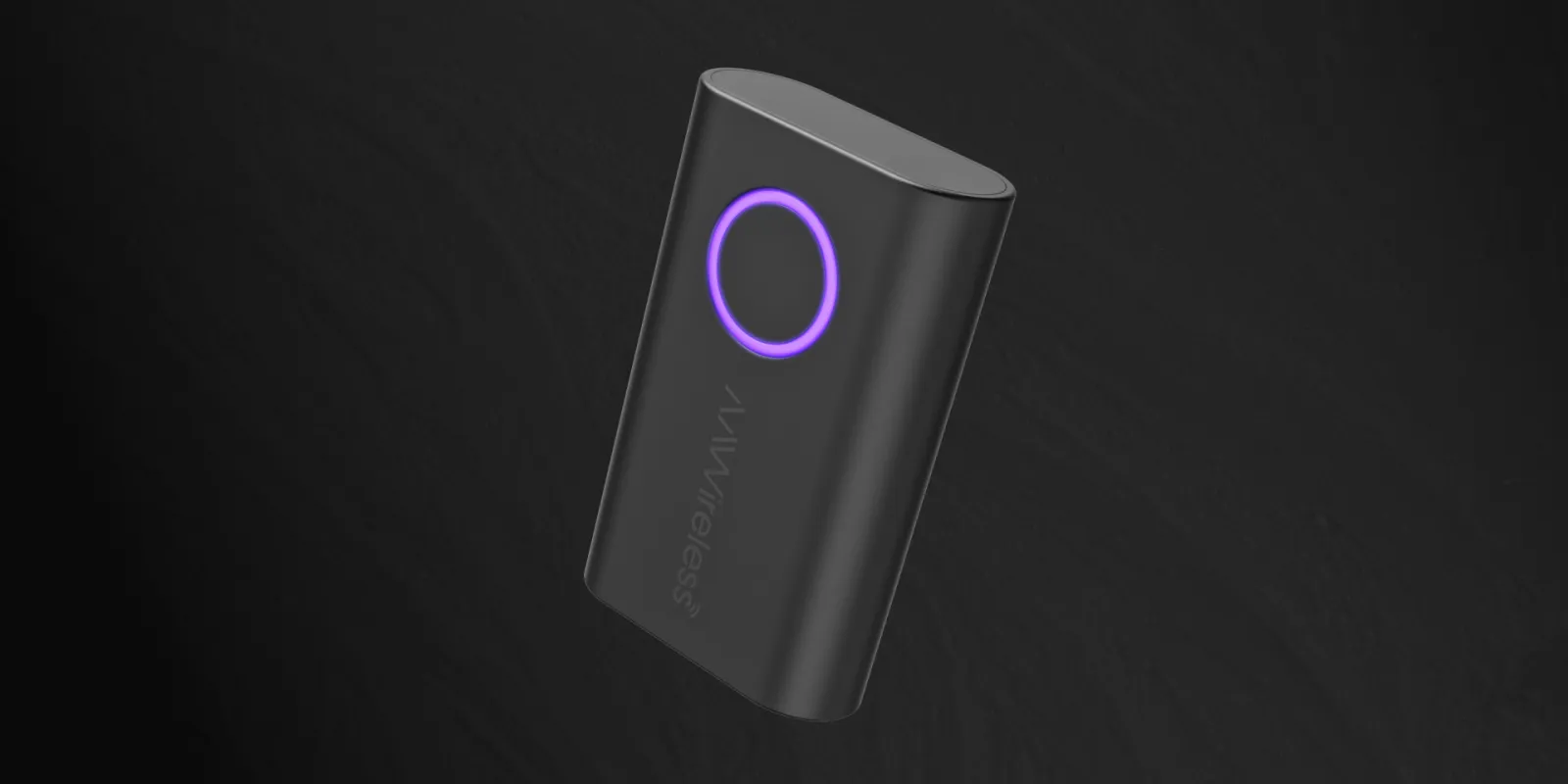
🎛️ The Physical Hardware Fix: Seamless Profile Switching
AAWireless. Historically, the biggest headache with wireless automotive dongles occurs in multi-driver households. If two paired users step into the vehicle simultaneously, the adapter typically locks onto whichever phone establishes a handshake sequence first—forcing drivers to manually toggle Bluetooth menus or yank out the hardware to reset the connection.
The AAWireless TWO and TWO+ address this design flaw by embedding a physical, glowing multifunctional button directly onto the top face of the compact unit.
 [ Single Press ]   ──► Cycles connections to the next paired phone in memory.
 [ Two-Second Hold ] ──► Initiates fresh Bluetooth pairing mode for a new device.
 [ Custom Settings ] ──► Can be mapped via the app to force immediate standby mode.
Through the free AAWireless companion app, users can customize how this button behaves. For instance, if you are trading off driving duties during a long road trip, a single physical tap on the adapter smoothly drops the active session and swaps the infotainment screen to your travel partner’s phone in roughly 3 to 10 seconds.
🍏 Moving Past Beta: Native Apple CarPlay Integration
While the legacy first-generation AAWireless hub focused strictly on Google’s ecosystem (later testing a highly experimental, restricted CarPlay beta layer that was eventually removed), the current generation embraces full cross-platform capability:
-
The AAWireless TWO (Android Dedicated): This ultra-compact variant targets pure Android ecosystems, delivering lightning-fast auto-connect protocols exclusively for wireless Android Auto.
-
The AAWireless TWO+ (The 2-in-1 Powerhouse): This variant features native, out-of-the-box infrastructure for both Apple CarPlay and Android Auto. It serves as an optimal solution for mixed-device households, converting traditional, wired-only vehicle head units into wireless receivers regardless of whether an iPhone or Android phone is brought into the cabin.
⚙️ Technical Blueprint and Companion App Controls
The updated hardware retains its manufacturing footprint in the European Union, packing robust Wi-Fi and Bluetooth radios inside an incredibly light 18-gram housing that measures just 5.5 × 3.5 × 1.5 cm.
The accompanying mobile application remains one of the most comprehensive utility tools in the automotive space, offering deep configuration options:
-
Over-The-Air (OTA) Patches: Drivers can push live firmware updates to the dongle to ensure compatibility with major iOS and Android operating system upgrades.
-
Split-Screen & DPI Adjustments: Users can tweak pixel density (DPI) settings to force their dashboard screens to render in wide, multi-card formats that wired connections sometimes block.
-
Advanced Troubleshooting: The app includes integrated diagnostic tools to isolate audio stuttering issues or connection drops common to specific vehicle makes and head unit layouts.
📊 Summary: AAWireless Generational Comparison
| Specification | First-Generation AAWireless | AAWireless TWO | AAWireless TWO+ |
| Primary Focus | Android Auto Only | Android Auto Only | 2-in-1 Android Auto & CarPlay |
| Physical Button | ❌ None (Software Only) | Yes (Multifunctional) | Yes (Multifunctional) |
| Phone Switching | Handled inside the app | Physical Tap Option | Physical Tap Option |
| CarPlay Status | Unsupported (Legacy Beta Removed) | Unsupported | Fully Native Out of Box |
| Connection Interface | Detachable USB-C | Detachable USB-C | Detachable USB-C |
RELATED POST
. Google Search ads generative UI, AI booking tools and search agents
. We’re introducing new ways to design in real time with Stitch.
. I/O ’26 Recap: Everything You Need to Know
. Introducing Gemini Omni: Create Anything from Anything
. TPU Training Day for I/O ‘26
. The Gemini app becomes more agentic, delivering proactive, 24/7 help
. Fuel your next wave of growth on YouTube with Demand Gen
. Everything Google announced at I/O 2026: Gemini, Search, Android XR, & more
OTHER