


AI Writing Assistant in Google Chrome
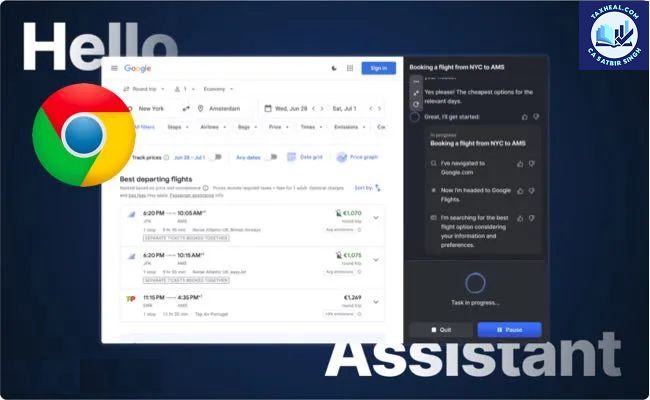
AI Writing Assistant in Google Chrome
Artificial Intelligence is fundamentally changing the way people communicate online. One of the most practical and widely used innovations is the AI Writing Assistant integrated within modern browsers like Google Chrome. This feature is designed to help users write faster, better, and more professionally—without requiring advanced writing skills.
Powered by technologies similar to ChatGPT, Chrome’s AI writing capabilities are becoming an essential tool for students, professionals, business owners, and general users.
In this article, we will explore in detail how the AI Writing Assistant works, its key features, benefits, and practical applications in daily life.
What is AI Writing Assistant in Chrome?
The AI Writing Assistant in Chrome is an intelligent feature that helps users generate, edit, and improve text directly within the browser. Whether you are typing an email, filling a form, or writing content, the AI can assist in real-time.
Core Functions:
- Auto-generates text based on prompts
- Improves grammar and spelling
- Adjusts tone (formal, casual, professional)
- Suggests better sentence structure
- Expands or shortens content
This feature eliminates the need for separate writing tools and integrates assistance directly into your workflow.
⚙️ How AI Writing Assistant Works
The AI writing assistant uses advanced Natural Language Processing (NLP) models to understand context and generate meaningful text.
Working Process:
- User starts typing or provides a prompt
- AI analyzes context and intent
- Suggestions or full drafts are generated
- User can accept, edit, or refine output
Example:
If you type:
“Write an email to client regarding delay in tax filing”
The AI can instantly generate a professional email draft within seconds.
✨ Key Features of AI Writing Assistant
1. Smart Text Generation
AI can create complete paragraphs based on a short instruction.
Use Case:
- Writing emails
- Drafting reports
- Creating content
2. Grammar & Spell Check
Similar to tools like Grammarly, AI automatically corrects:
- Grammar mistakes
- Spelling errors
- Punctuation issues
3. Tone Adjustment
AI can modify writing tone depending on the requirement.
Tone Types:
- Professional
- Friendly
- Formal
- Concise
Example:
A casual message can be converted into a formal business email instantly.
4. Sentence Rewriting & Enhancement
AI improves readability by:
- Simplifying complex sentences
- Making content clearer
- Enhancing vocabulary
5. Content Expansion & Summarization
- Expand short ideas into full paragraphs
- Summarize long content into key points
Practical Uses for General Public
1. Writing Professional Emails
Users can quickly draft emails for:
- Office communication
- Client interaction
- Complaint or request letters
Benefit: Saves time and ensures professionalism.
2. Social Media Content Creation
AI helps in creating:
- Instagram captions
- LinkedIn posts
- Twitter content
Benefit: Improves engagement and saves effort.
✍️ 3. Blog Writing & Content Creation
Bloggers and website owners can:
- Generate article drafts
- Improve readability
- Optimize structure
4. Filling Online Forms
AI can assist in:
- Writing descriptions
- Providing accurate responses
- Reducing typing effort
5. Academic & Learning Support
Students can use AI for:
- Writing assignments
- Improving essays
- Understanding language better
Special Benefits for Professionals
AI Writing Assistant is extremely useful for professionals dealing with regular documentation and communication.
Key Advantages:
- Drafting client emails quickly
- Preparing reports and summaries
- Reducing manual writing effort
- Maintaining professional tone
Example (Tax Professionals):
- Draft replies to notices
- Communicate compliance updates
- Summarize legal documents
Advantages of Using AI Writing Assistant
✅ 1. Time Saving
Tasks that previously took 30 minutes can now be completed in seconds.
✅ 2. Improved Accuracy
Minimizes grammatical errors and improves clarity.
✅ 3. Better Communication
Ensures clear, concise, and professional writing.
✅ 4. Increased Productivity
Allows users to focus on important tasks instead of writing.
⚠️ Limitations & Precautions
While AI is powerful, users should be aware of certain limitations:
1. Accuracy Check Required
AI-generated content should always be reviewed before use.
2. Not Fully Context-Aware
Complex or technical subjects may require manual editing.
3. Data Privacy Concerns
Avoid sharing sensitive or confidential information.
Privacy & Security Considerations
When using AI writing tools in Google Chrome:
- Ensure you use trusted extensions or built-in features
- Avoid entering confidential data
- Review permissions of AI tools
⚙️ How to Enable AI Writing Assistant in Chrome
Step-by-Step:
- Update Chrome to the latest version
- Go to Chrome settings
- Look for “AI features” or “Experimental features”
- Enable writing assistance (if available)
- Alternatively, install AI extensions
Popular AI Writing Extensions for Chrome
- Grammarly – Grammar & tone correction
- Compose AI – Auto writing suggestions
- ChatGPT – Advanced content generation
Future of AI Writing in Browsers
AI writing tools will become more advanced with:
- Better personalization
- Voice-to-text writing
- Multilingual support
- Deeper integration into daily tasks
In the coming years, writing manually without AI assistance may become rare.
Conclusion
The AI Writing Assistant in Google Chrome is a game-changing feature that simplifies communication for everyone. Whether you are a student, professional, or general user, it helps you write faster, more accurately, and more effectively.
By adopting this technology early, users can significantly improve productivity and communication quality in both personal and professional life.
Relates Post
2. Notebooks to the Gemini app new update
4. Visualizing World Models with Project Genie | Vibe Coding with Gemini
5. Recap: Vibe Coding with Gemini 3 on Launch Day
6. Vibe coding with Gemini 3 | Live from Mountain View
7. Try notebooks in Gemini to easily keep track of projects
8. How a Graphic Designer uses AI Studio for Interactive Art
9. 6 easy ways to study for finals with Gemini
10. New Home Google Gemini SB Commercial 2026
11. Google Search with Gemini 3: Our most intelligent search yet
12. Vibe Coding with Gemini 3 in Google AI Studio
13. A new era of intelligence with Gemini 3
14. Make anything with Gemini 3 Flash Personalized Cat Calendar App in Minutes
15. Gemini 3 just crushed everything
16. Gemini 3 Pro: It was worth the wait!!!
17. Gemini AI photo Editing Tips
19.How to enable Gemini in gmail
Pingback: Artificial Intelligence