


AI-Powered Tab Organizer in Google Chrome
AI-Powered Tab Organizer in Google Chrome
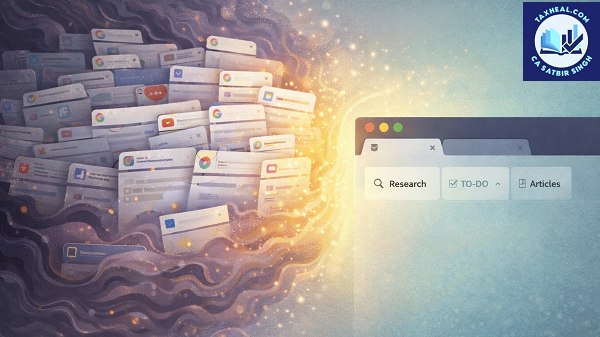
In today’s digital environment, it is common for users to work with dozens of browser tabs simultaneously—whether for research, office work, online shopping, or learning. Managing these tabs efficiently has always been a challenge. To address this problem, Google has introduced an advanced AI-Powered Tab Organizer in Google Chrome.
This intelligent feature uses Artificial Intelligence to automatically organize, group, and manage tabs, helping users improve productivity and reduce digital clutter.
What is AI-Powered Tab Organizer?
The AI Tab Organizer is a smart feature in Chrome that automatically groups and arranges open tabs based on their content and usage patterns.
Instead of manually organizing tabs, the AI:
- Understands the context of each tab
- Groups similar tabs together
- Suggests meaningful names for each group
This transforms the browsing experience from chaotic to structured.
⚙️ How AI Tab Organizer Works
The AI analyzes multiple factors such as:
- Website content
- Page titles
- User browsing behavior
- Search intent
Working Process:
- User opens multiple tabs
- AI scans and identifies similarities
- Tabs are grouped automatically
- Suggested labels are assigned (e.g., “Tax Research”, “Shopping”, “News”)
Example:
If a user opens multiple tabs related to income tax—such as government portals, articles, and calculators—the AI groups them into a single category like “Tax Planning”.
✨ Key Features of AI Tab Organizer
1. Automatic Tab Grouping
AI intelligently clusters related tabs without user intervention.
Example:
- All banking-related tabs grouped together
- All study-related tabs in one section
2. Smart Group Naming
AI suggests relevant names for tab groups based on context.
Examples:
- “Work Projects”
- “Online Shopping”
- “Tax Filing Research”
3. One-Click Organization
Users can organize dozens of tabs instantly with a single click.
4. Dynamic Reorganization
As new tabs are opened, AI automatically adjusts existing groups.
5. Visual Clarity & Clean Interface
Grouped tabs reduce clutter and make navigation easier.
Practical Use Cases for General Public
1. Research & Study
Students and researchers often open multiple tabs for information gathering.
Benefit:
AI groups all study material, making it easier to switch between topics.
2. Office & Professional Work
Professionals handle multiple clients, tasks, and reports simultaneously.
Example:
- Client A documents grouped separately
- Client B research in another group
Benefit:
Better task management and reduced confusion.
3. Online Shopping
Users browsing different products across websites can benefit significantly.
AI groups:
- Electronics tabs
- Clothing tabs
- Price comparison pages
4. News & Information Consumption
Multiple news articles are grouped together for easy reading.
5. Freelancers & Remote Workers
Freelancers working on multiple projects can manage tabs efficiently.
Special Insight for Tax Professionals
For professionals dealing with taxation, compliance, and legal research, the AI Tab Organizer offers significant advantages.
Practical Applications:
- Grouping tabs for different clients
- Separating GST, Income Tax, and compliance research
- Managing multiple government portals
Example:
While working on:
- Income Tax portal
- GST portal
- Case law research
AI can automatically create separate groups like:
- “Income Tax Work”
- “GST Compliance”
- “Legal Research”
Result:
Improved workflow efficiency and reduced chances of errors.
Benefits of AI Tab Organizer
✅ 1. Increased Productivity
Users spend less time searching for tabs and more time working.
✅ 2. Reduced Mental Load
Organized tabs reduce stress and cognitive overload.
✅ 3. Better Focus
Users can focus on one group at a time without distractions.
✅ 4. Time Saving
No need for manual tab management.
✅ 5. Improved Multitasking
Easier to handle multiple tasks simultaneously.
⚠️ Limitations & Considerations
1. Initial Learning Curve
Users may take time to understand how grouping works.
2. Occasional Misgrouping
AI may sometimes group unrelated tabs together.
3. Dependency on AI
Over-reliance may reduce manual control.
Privacy & Data Considerations
Since AI analyzes browsing activity, users should be aware of privacy aspects:
- Avoid opening sensitive data in unsecured environments
- Keep Chrome updated
- Review privacy settings
⚙️ How to Enable AI Tab Organizer in Chrome
Step-by-Step Guide:
- Open Google Chrome
- Update to the latest version
- Right-click on a tab
- Select “Organize Tabs” (if available)
- Allow AI suggestions
Alternative Method:
- Use Chrome flags (
chrome://flags) - Enable experimental AI features
Future of AI Tab Management
The future of tab management will be even more advanced with:
- Voice-controlled tab organization
- Predictive tab grouping
- Integration with calendars and tasks
- Personalized workspace environments
AI will soon transform browsers into full productivity platforms.
Conclusion
The AI-Powered Tab Organizer in Google Chrome is a powerful feature that addresses one of the most common problems faced by internet users—managing multiple tabs.
By automatically grouping, labeling, and organizing tabs, it enhances productivity, reduces clutter, and improves overall browsing efficiency. Whether you are a student, professional, or general user, this feature can significantly streamline your daily online activities.
Adopting this AI capability will not only save time but also provide a more structured and stress-free browsing experience in 2026 and beyond.
Relates Post
2. Notebooks to the Gemini app new update
4. Visualizing World Models with Project Genie | Vibe Coding with Gemini
5. Recap: Vibe Coding with Gemini 3 on Launch Day
6. Vibe coding with Gemini 3 | Live from Mountain View
7. Try notebooks in Gemini to easily keep track of projects
8. How a Graphic Designer uses AI Studio for Interactive Art
9. 6 easy ways to study for finals with Gemini
10. New Home Google Gemini SB Commercial 2026
11. Google Search with Gemini 3: Our most intelligent search yet
12. Vibe Coding with Gemini 3 in Google AI Studio
13. A new era of intelligence with Gemini 3
14. Make anything with Gemini 3 Flash Personalized Cat Calendar App in Minutes
15. Gemini 3 just crushed everything
16. Gemini 3 Pro: It was worth the wait!!!
17. Gemini AI photo Editing Tips
19.How to enable Gemini in gmail
for more refer Artificial Intelligence website click here
Pingback: Artificial Intelligence