


AI Website Summarization in Google Chrome
AI Website Summarization in Google Chrome
In today’s digital age, users are constantly overwhelmed with long articles, research papers, legal documents, and government notifications. Reading and understanding all this information consumes significant time. To solve this problem, Google has introduced AI Website Summarization in Google Chrome—a powerful feature that allows users to instantly extract key insights from any webpage.
This feature is transforming how people consume information by enabling quick understanding without reading the entire content.
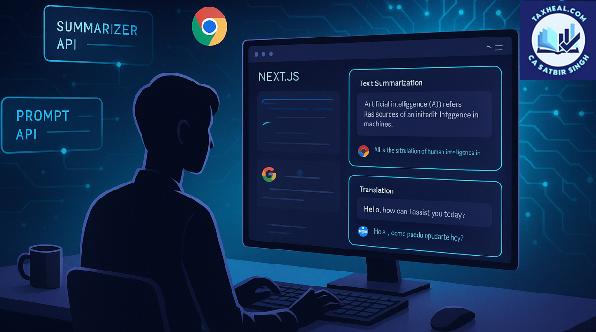
What is AI Website Summarization?
AI Website Summarization is an advanced feature that uses Artificial Intelligence to analyze web content and generate concise summaries.
Instead of reading lengthy articles, users can:
- Get a short summary of the entire page
- View key highlights and important points
- Understand the main idea within seconds
This feature is powered by technologies similar to ChatGPT, which are trained to understand and process human language efficiently.
⚙️ How AI Website Summarization Works
The summarization process involves multiple intelligent steps:
Step-by-Step Process:
- AI scans the entire webpage content
- Identifies important sections and key ideas
- Removes unnecessary or repetitive information
- Generates a concise summary
- Highlights essential points for quick reading
Example:
If you open a 2000-word article on tax updates, AI can reduce it to a 100–150 word summary covering the main changes and implications.
✨ Key Features of AI Summarization in Chrome
1. Instant Summaries
Users can generate summaries within seconds without leaving the page.
2. Key Point Extraction
AI highlights:
- Important facts
- Key arguments
- Critical updates
3. Context-Aware Understanding
AI understands the context of content instead of just picking random sentences.
4. Multi-Language Support
Users can summarize content written in different languages.
5. Easy Integration with Browser
No need to copy-paste content into external tools—everything works within Google Chrome.
Practical Uses for General Public
1. Reading News Articles
Users can quickly understand lengthy news reports without reading full articles.
Benefit: Saves time and keeps users updated.
2. Study & Research
Students and researchers can summarize:
- Study materials
- Research papers
- Online notes
Benefit: Faster learning and revision.
️ 3. Government Notifications
Government websites often publish long and complex notifications.
AI helps to:
- Extract key rules
- Highlight important deadlines
- Simplify legal language
4. Product Reviews & Comparisons
Users can summarize long product descriptions and reviews before making purchase decisions.
5. Blogs & Online Content
Readers can consume blog content efficiently without spending too much time.
Special Use Case for Professionals
AI Website Summarization is particularly beneficial for professionals who deal with large volumes of information daily.
Key Applications:
- Summarizing legal documents
- Reviewing financial reports
- Understanding regulatory updates
- Extracting insights from lengthy articles
Example (Tax Professionals):
While analyzing:
- Income Tax updates
- GST notifications
- Case laws
AI can provide a quick summary of key provisions, saving hours of manual reading.
Benefits of AI Website Summarization
✅ 1. Significant Time Saving
Reduces reading time by up to 80–90%.
✅ 2. Improved Productivity
Users can process more information in less time.
✅ 3. Better Decision Making
Quick access to key insights helps in faster decisions.
✅ 4. Reduced Information Overload
Simplifies complex and lengthy content.
✅ 5. Enhanced Learning Efficiency
Students and professionals can learn faster.
⚠️ Limitations & Precautions
While AI summarization is powerful, users should consider the following:
1. Risk of Missing Details
Important nuances or fine details may be omitted.
2. Accuracy Depends on Content
Poorly structured content may lead to less accurate summaries.
3. Requires Human Verification
Critical decisions should not rely solely on AI summaries.
Privacy & Data Considerations
Since AI processes webpage content, users should be cautious:
- Avoid summarizing confidential documents
- Use trusted tools within Google Chrome
- Check permissions before enabling AI features
⚙️ How to Use AI Website Summarization in Chrome
Method 1: Built-in Feature (if available)
- Open a webpage in Google Chrome
- Look for AI or “Summarize” option
- Click to generate summary
Method 2: Using Extensions
Install AI-based extensions that provide summarization features.
Popular Tools:
- ChatGPT
- Grammarly (limited summarization support)
Future of AI Summarization
The future of AI summarization in browsers will include:
- Voice-based summaries
- Personalized summaries based on user preference
- Real-time summarization while scrolling
- Integration with productivity tools
AI will continue to make information consumption faster and more efficient.
Conclusion
AI Website Summarization in Google Chrome is a revolutionary feature that helps users save time and process information more effectively. Whether you are a student, professional, or general internet user, this tool enables you to extract key insights instantly from any webpage.
By adopting this feature, users can significantly enhance productivity, reduce information overload, and stay informed without spending hours reading long content.
Relates Post
2. Notebooks to the Gemini app new update
4. Visualizing World Models with Project Genie | Vibe Coding with Gemini
5. Recap: Vibe Coding with Gemini 3 on Launch Day
6. Vibe coding with Gemini 3 | Live from Mountain View
7. Try notebooks in Gemini to easily keep track of projects
8. How a Graphic Designer uses AI Studio for Interactive Art
9. 6 easy ways to study for finals with Gemini
10. New Home Google Gemini SB Commercial 2026
11. Google Search with Gemini 3: Our most intelligent search yet
12. Vibe Coding with Gemini 3 in Google AI Studio
13. A new era of intelligence with Gemini 3
14. Make anything with Gemini 3 Flash Personalized Cat Calendar App in Minutes
15. Gemini 3 just crushed everything
16. Gemini 3 Pro: It was worth the wait!!!
17. Gemini AI photo Editing Tips
19.How to enable Gemini in gmail
for more refer Artificial Intelligence website click here
Pingback: Artificial Intelligence