
Skip to content
Tax Heal
Follow us on Twitter Follow us on Facebook Follow us on Instagram Follow us on LinkedIn Follow us on rss
  • Home
    • GST Online Course
  • GST Update
    • GST Returns Due Dates
    • Eway Bill
    • GST Act
      • CGST Act 2017
      • UTGST Act 2017
      • IGST Act 2017
      • CGST Ordinance
      • CGST ( Extention to Jammu and Kashmir ) Act 2017
      • IGST Ordinance
      • CGST Bill 2017- As Passed by Lok Sabha
      • UTGST Bill 2017 As Passed by Lok Sabha
      • UTGST Bill 2017 As Introduced Lok Sabha
      • Compensation to States 2017 Act
      • CGST Bill 2017 As Introduced in Lok Sabha
      • IGST Bill 2017 As Passed by Lok Sabha
      • IGST Bill 2017 As Introduced in Lok Sabha
      • Revised Model GST Law (Nov 2016)
      • Model GST Law ( June 2016 )
      • Model IGST Law (Nov 2016)
      • GST Compensation Bill 2017 As Passed by Lok Sabha
      • GST Compensation Bill 2017 As Introduced in Lok Sabha
    • SGST Act
      • SGST Acts
    • GST Rules and Forms
      • CGST Rules 2017
      • IGST Rules 2017
      • GST Forms
      • Draft GST Rules
        • Accounts and Records -April 2017
        • Appeals and Revisions – April 2017
        • Advance Ruling – April 2017
        • E Way Bill Rules April 2017
        • Assessment and Audit Rules – April 2017
        • Composition Rules – March 2017
        • Valuation Rules March 2017
        • Transitional Provisions Rules March 2017
        • Input Tax Credit Rules March 2017
        • Refund Rules March 2017
        • Payment of Tax Rules March 2017
        • Registration Rules March 2017
        • Return Rules March 2017
        • Revised Tax Invoice Rules March 2017
        • ITC Mismatch report-Sept 2016
        • Refund Forms-Sept 2016
        • Payment Rules -Sept 2016
        • Payment formats-Sept 2016
        • Invoice Rules-Sept 2016
        • Invoice formats-Sept 2016
        • Registration Rules-Sept 2016
        • Registration formats- Sept 2016
        • Return Rules-Sept 2016
        • Return Formats-Sept 2016
        • Tax Audit Report: GSTR-9B-Sept 2016
    • Notifications
      • Updated Notifications
      • Central Tax
      • Central Tax Rate
      • Integrated Tax
      • Integrated Tax Rate
      • Union Territory Tax
      • Union Territory Tax Rate
      • Compensation Cess
      • Compensation Cess Rate
    • Circulars
      • Central Tax Circulars / Orders
      • Integrated Tax Circular
    • GST Council
    • GST Judgments
    • GST Rates
      • GST Rates Goods
      • GST Rate – Services with Exemption List
      • GST Cess Rates
      • IGST Exemptions/Concessions List
    • Commentary on GST
    • GST Press Release
    • FAQ’s on GST
      • FAQ on GST by CBEC March 2017
      • FAQ on GST by CBEC- Sep 16
      • FAQs on GST-Aug 16
    • Video Tutorial-GST
    • GST History and Background Material
      • Background Material
        • GST Concept
        • GST Presentation-CBEC
        • CBEC
        • ICAI
  • Artificial Intelligence
  • Income Tax
    • Income Tax
      • Income Tax Commentary
      • Income Tax Press Release
      • Important Sections
      • Income Tax Forms
      • Important Rules
      • Income Tax Notification
      • Income Tax Circular
      • Income Tax Instructions
      • Income Tax Office Memorandum
      • Income Tax Judgments
      • Income Tax Video
    • Benami Property
    • PMGKY 2016
    • ICDS
      • ICDS-I
      • ICDS-II
      • ICDS-III
      • ICDS-IV
      • ICDS-V
      • ICDS-VI
      • ICDS-VII
      • ICDS-VIII
      • ICDS-IX
      • ICDS- X
    • Union Budget
      • Budget FY 2017-18
    • Direct Tax Dispute Resolution Scheme
  • Books
    • New Releases in Book Store
    • GST
    • CA Exam
      • CA Final
      • CA -IPCC
    • CS Exam
      • CS Executive Exam Books
    • CMA Exam
    • Income Tax
    • Companies Act
    • Service Tax
    • FEMA
    • Law
    • Business
    • Accounting Standards
    • Auditing
    • Insurance
    • Real Estate
    • IT
    • Negotiable Instruments
    • Financial Management
  • Finance
    • FEMA
    • Company
      • Companies Act 2013
      • Accounting Standard
    • Service Tax
      • Excise and custom
        • Excise
        • Central Excise (N.T) Notifications
        • Cenvat Credit
        • Custom
    • other Acts
      • Real Estate Act 2016
        • Real Estate Books
      • Negotiable Instruments Act
      • Gujarat Vat Act
      • Chhattisgarh VAT
      • Haryana Vat Act
      • KERALA VALUE ADDED TAX
      • Uttarakhand Value Added Tax Act
      • Information Technology Act
      • Competition Act 2002
      • CST
    • Audit
    • RBI
    • SEBI
    • IFRS
    • IRDA
    • Notifications
    • Supreme Court Judgment
    • Empanelment
    • International Taxation
    • Books
      • Australia
      • China
      • Vietnam
    • Judgements
    • Accounting Standards
      • Ind AS- An Overview -ICAI Edition 2016
      • Books
    • Submit Articles
    • Guidance Note
    • Free Downloads
    • Labour Laws
    • Insolvency and Bankruptcy Code 2016
    • TaxHeal Mobile App
  • USA IRS
  • News
    • Knowledge

5 helpful tools from Google to keep your account safe

By CA Satbir Singh | May 9, 2026
0 Comment

 5 helpful tools from Google to keep your account safe

5 helpful tools from Google to keep your account safe

5 helpful tools from Google to keep your account safe

Whether you’re checking your email, managing your family photos, shopping or watching your favorite shows, your digital life depends on secure access to your online accounts. At Google, we believe that staying safe online shouldn’t feel like a chore, which is why we have long invested in building tools that make your online life easily accessible to you and those you trust, while keeping your data safe from everyone else.

Today is World Password Day, so it’s a good moment to review five Google tools and tips that will make access to your Google Account and the apps you use with it easier and safer.

1. Sign in faster with passkeys.

Passkeys are an easier and safer way to access online accounts compared to passwords and even traditional multi-factor methods such as one-time passwords. We launched passkeys for Google Accounts on World Password Day in 2023. Many websites and apps have embraced them since then. Passkeys let you sign into your Google Account with your device’s screen lock — such as a fingerprint, face or PIN, making sign-in feel as simple as unlocking your device. They’re also the most secure way to sign in because no one else can guess or reuse them. And rest assured, biometric data like your fingerprint or face scan stays on your device and is never shared with Google.

How to try it: Create a new passkey at myaccount.google.
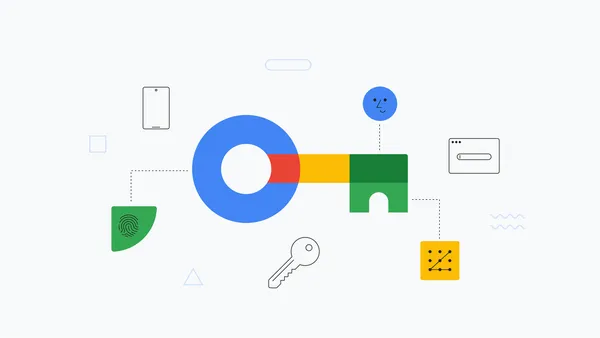
Illustration of a key in Google's brand colors with security-related icons surrounding

Ask a Techspert: What are passkeys?

Here’s a look at how passkeys keep your accounts more secure by removing the need for traditional passwords.

See more

2. Turn on 2-Step Verification as an added safeguard.

Even when you normally use a passkey, it’s important to secure your account with 2SV. If someone tries to impersonate you and claims to have lost your passkey, your account gets multi-factor protection.

How to try it: Set up 2-Step Verification in your Google Account.

3. Get back into your Google account with help from a friend or family member.

Lost your phone but need to sign into your Google Account? Recovery Contacts can help. It lets you choose someone you trust to help confirm it’s really you if you’re locked out of your account. Google will send your contact a prompt or an email to help you sign back in. It’s a simple, secure way to regain access to your account when other recovery options aren’t available. You can have up to 10 recovery contacts for your account. Your recovery contacts will never have access to your account or your personal information.

How to try it: Set up your recovery contacts.

4. Sign in with Google to simplify sign-ins and boost security.

Instead of creating and remembering a new username and password when you’re signing in to a new app or shopping site, you can tap “Sign in with Google” to sign in quickly and easily with your Google Account. Sign in with Google helps you reduce the number of passwords stored across different apps and services, which can limit exposure if another platform experiences a security incident. You stay in control of your connections and can review and remove app access at any time.

How to try it: Learn how to use Sign in with Google.

5. Let Google Password Manager create (and save) strong passwords — and passkeys. from 5 helpful tools

If a site doesn’t support Sign-in with Google, or you don’t want to use it for any reason, you can still rely on Google’s security expertise to keep your sign-ins simple and safe. Google Password Manager can help create, save and manage your passwords and passkeys for all your other accounts. It securely stores and syncs your passwords and passkeys across devices, and autofills them the next time you need to use them.

How to try it: Manage your saved passwords from your Google Account.

Use one of these tools — or set up all five. A few quick updates you make today can help keep your sign-ins secure and your accounts accessible in the long run.

5 helpful tools from Google to keep your account safe

Read more

120. How to Use Google Flow Music (Free AI Music Tool)

121. Approximate location sharing Chrome for Android now with share your approximate location

122. Introducing ChatGPT for Excel and Google Sheets

123. Google Health Coach is becoming globally available

124. Meet Google Fitbit Air | Lighter, Gets Mightier

125. Gemini 3.1 Flash-Lite is now generally available on Gemini Enterprise Agent Platform

for more refer Artificial Intelligence  website click here

Category: Artificial Intelligence Tags: 5 helpful tools from google to keep your account safe 2021, 5 helpful tools from google to keep your account safe 2022, 5 helpful tools from google to keep your account safe chrome, Facebook dijiye google, Facebook en Google, Gemini, Gemini photo edit code copy, Google Facebook number, Google Flow AI video, Google Gemini AI photo, Google go to Shorts, Google logo shorts, Google News facebook, Google trending facebook, Hey Google, How to secure my email account from hackers, How to secure my Gmail account from hackers, How to secure my Google account so i can make, My Account Google security, My Account security settings, whatsapp, YouTube under Google

About CA Satbir Singh

Chartered Accountant having 12+ years of Experience in Taxation , Finance and GST related matters and can be reached at Email : Taxheal@gmail.com

View all posts by CA Satbir Singh →
Post navigation
← Gemini 3.1 Flash-Lite is now generally available on Gemini Enterprise Agent Platform


TaxHeal App

Tax Heal Youtube Channel

https://youtu.be/jlzygPLPNno

Can not find what you are looking ? Try Google Search….


Dont Forget to Subscribe for Latest Updates and News

Enter your email address:

Delivered by FeedBurner

Recent Posts

  • 5 helpful tools from Google to keep your account safe
  • Gemini 3.1 Flash-Lite is now generally available on Gemini Enterprise Agent Platform
  • Meet Google Fitbit Air | Lighter, Gets Mightier
  • Specifying Gazetted Officers for Compounding of Offences under section 89(1) of the Industrial Relations Code 2020
  • Delegation of power of Central Government to RLCs under section 59(1) for issue of Recovery Certificate under the Industrial Relations Code 2020
  • Appointing Officers to impose penalty under section 85(1) of the Industrial Relations Code 2020
  • Appointing Conciliation Officers and specifying area of jurisdiction under section 43 (1) and (2) of IR Code 2020
  • TDS on Income from Units (Resident) AY 2026-27
  • TDS on Royalty and Fees for Technical Services AY 2026-27
  • TDS on Payment under Joint Development Agreement AY 2026-27

TaxHeal

About Taxheal – Daily Tax ,GST & Law Updates Contact Us
  • Useful Links & GST
  • Disclaimer
  • New Releases in Book Store
  • TAXHEAL Mobile App Privacy Policy
  • National Company Law Tribunal
    Bank Concurrent Audit Procedure Manual
    Tax Heal © 2014 - 2026. All rights reserved.
    CA Satbir Singh M-09872233989 Email-Taxheal@gmail.com
    Iconic One Theme | Powered by Wordpress