


Generate interactive simulations and models in the Gemini app
Generate interactive simulations and models in the Gemini app
Gemini can transform your questions and complex topics into custom, interactive visualizations — directly within your Gemini app chat.
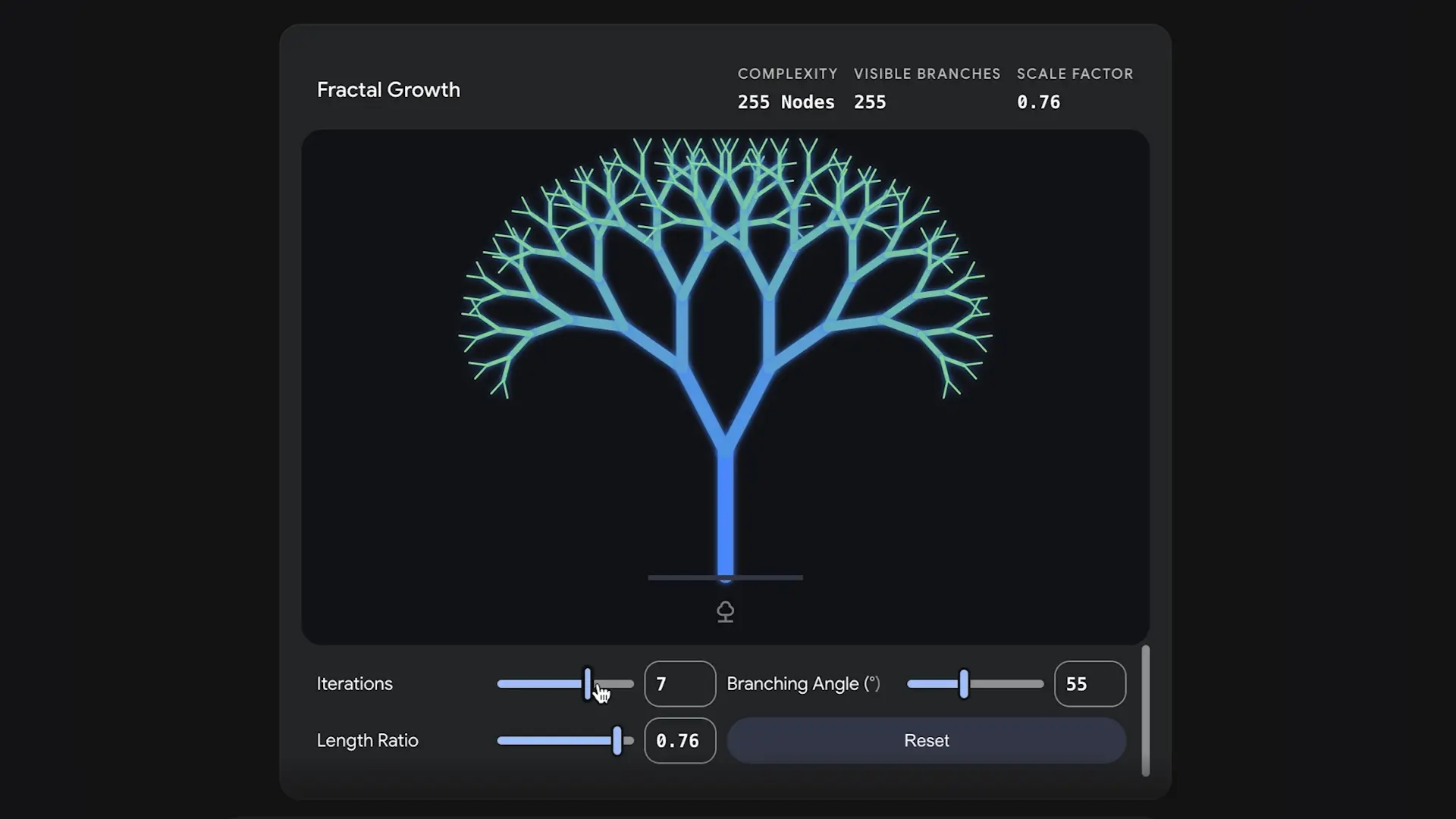
Previously, responses were largely text with static diagrams. Now, we’re delivering functional simulations that can help you better understand the topic you’re asking Gemini about. Whether you’re rotating a molecule or simulating a complex physics system, you can explore further with just one prompt. Responses include visual elements — like tables, grids, and simulations — made specifically for your question. For example, ask about a topic that could be explained visually, like “show me how DNA works in 3D,” and you’ll be able to interactively rotate and zoom into a 3D DNA structure. Or ask to watch a pendulum trade energy back and forth, or learn about cash burn rates through an interactive table.

Getting started
- Admins: This feature is ON by default for all organizations with Gemini enabled. The Gemini app and related in-app tools are controlled by the Generative AI settings in the Workspace Admin console. This feature is subject to these existing controls. Visit the Help Center for more information on turning the Gemini app on or off.
- End users: There is no end user setting for this feature. To get started, users can ask Gemini to “show me” or “help me visualize” a complex concept.
Rollout pace
- Rapid Release and Scheduled Release domains: Available now
Availability
- Available to all Google Workspace customers, Workspace Individual subscribers, and as well as users that meet minimum age requirements. Usage limits apply.
Resources
- Google Workspace Admin Help: Turn the Gemini app on or off for users
- News from Google Blog: The Gemini app can now generate interactive simulations and models

How to Use the Feature
- Open the Platform: Navigate to the Google Gemini Web Platform using your browser. [3, 5]
- Select Your Model: Ensure you have selected either the Pro or Flash model from the model picker drop-down menu. [3, 6]
- Prompt with Visual Cues: Use natural language starting with action phrases like “show me” or “help me visualize”. For example, try prompting: “Show me an interactive 3D model of the solar system” or “Help me visualize a token bucket algorithm”. [3, 7]
- Engage the Model: Click the “show the visualization” button inside the chat window to open the tool, rotate or zoom into 3D shapes, and manipulate the built-in sliders. [1, 2, 5]
Key Capabilities & Examples
- 3D Structural Controls: Rotate, flip, and zoom into intricate biological or chemical models, such as viewing a 3D DNA structure.
- Dynamic Physics Sandboxes: Adjust real-time variables like gravity strength, length, or initial velocity to watch physical systems react instantly, such as a double pendulum or planetary orbit.
- Interactive Data Tables: Track business or mathematical logic, such as simulating company cash burn rates or data structures, through responsive graphs and grids.
- Gemini Canvas Sandboxes: For advanced tracking, use the specialized development environment in Gemini Canvas. You can prompt it to build fully functioning apps—like a photosynthesis simulator with sliders for light intensity and temperature—which instantly renders code in a side panel. [1, 2, 3, 8, 9, 10]
Feature Availability
Read more
. Granular space creation restrictions now available in Google Chat
. Allowlisted Domains API now generally available
. View Google Chat usage metrics in Gemini reports dashboard
. Introducing Gemini Enterprise
. Record presentations in Google Slides with Google Vids
. Galaxy Event August 2026: Official Livestream | Samsung
. Here’s what’s new with Pixel Buds Pro 2 and Pixel Buds 2a.
. Keep tabs on your valuables with Google Pixel Tag
. Google Workspace Weekly Recap – August 21, 2026
. Now you can connect even more of your favorite apps and services to Gemini.
. How we built the new GPS on Pixel Watch 5
for more refer Gemini website click here
for more refer Artificial Intelligence website click here