


Bring your spreadsheet data to life with Sheets canvas
Bring your spreadsheet data to life with Sheets canvas
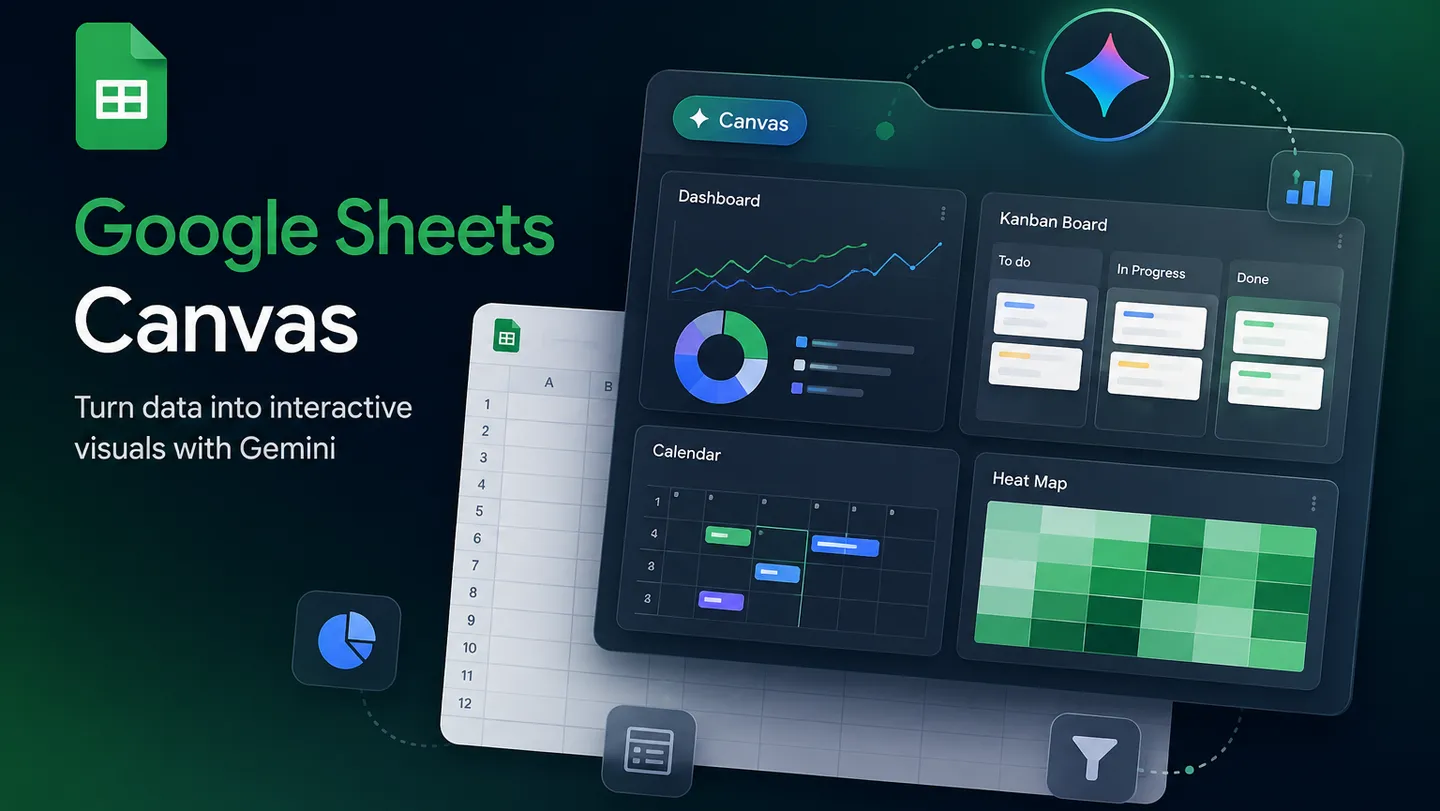
A new Google Sheets feature, Sheets canvas transforms rows and columns into interactive dashboards, custom study trackers, seating charts, and more, all with a simple prompt.
Spreadsheets are a powerful tool for organizing and understanding data, but staring at hundreds of rows and columns can sometimes feel a bit overwhelming. Whether you’re planning a wedding, tracking school assignments, managing a fantasy football roster, or comparing side hustle income, you want to see what you need to know from your data quickly.
To help get you there, we’re introducing Sheets canvas, a new feature built with Gemini that turns your Google Sheets spreadsheets into custom, interactive “mini-apps.” With a simple natural language prompt, you can transform your data into a visual experience that’s easy to understand and even easier to use.
Visualize your data in new ways
Sheets canvas is a dynamic, read-write layer that sits directly on top of your spreadsheet data. This means that you can visually organize, edit, and navigate your data in whatever layout you imagine.
Here is what makes it so powerful.
- No coding required: No formulas or programming required. Just describe what you want — like “create a visual study tracker” — and Gemini builds it for you.
- Always in sync: Whether you make changes to your canvas or to your sheet, updates are synced between the canvas and the original sheet in real time.
- Easy to adjust: You can continue to polish and refine your Sheets canvas by prompting Gemini to make edits to layout, design, functionality, and more.
- Fully collaborative: Since it lives as a tab in Google Sheets, your canvas can be shared with anyone, just like a regular sheet.
See it in action
We designed Sheets canvas to be as flexible as your imagination. Here are a few examples to show how you can start using it today.
1. Stay on top of the school year
For students, managing multiple subjects and deadlines is a full-time job. With Sheets canvas, you can turn a long list of assignments into an interactive study aid. Track progress, set reminders, and visualize the week ahead so you never miss a deadline.
2. Dominate your fantasy football league
Take your fantasy team to the next level by using Sheets canvas to build the ultimate command center for your roster. Create a custom dashboard to track player performance, compare stats side by side, and clearly visualize your path to the championship — all powered by the data in your sheet.
3. Simplify wedding planning
Juggling seating arrangements and meal choices just got infinitely easier. Sheets canvas transforms your guest RSVP data into an interactive seating chart. Just drag and drop guests to their tables, and rest easy knowing your central sheet stays up to date.
Try it now from Bring your spreadsheet
Sheets canvas is now available globally in English to Google AI Pro and Ultra subscribers. It’s rolling out starting today to Google Workspace customers on Business or Enterprise Standard and Plus plans, and to Google AI Pro for Education add-on subscribers.
Ready to see your data in a whole new light? Open a Google Sheets spreadsheet and select the “Create canvas” option in the Ask Gemini side panel to get started. Check out this article for more tips.
🚀 Key Capabilities of Sheets Canvas
- Two-Way, Real-Time Sync: The canvas serves as a live, read-write interface. If you drag a task card to a new column on a Kanban board, the underlying spreadsheet data updates immediately—and vice versa. [3, 4, 5, 6]
- Interactive Views: You can generate specific app-like interfaces including Kanban boards for workflows, Dashboards for high-level KPIs, and Gallery views for visually browsing data records. [3]
- Iterative Refinement: After Gemini generates the canvas, you can continue typing follow-up prompts to tweak the layout, add interactive elements like scenario sliders, or switch to dark mode. [2, 6, 7]
- Clean Sharing Layer: You can share a clean, fully interactive board with stakeholders via a “Copy Link” shortcut that hides the cluttered spreadsheet menus and grid lines entirely. [3]
🛠️ How to Create Your First Sheets Canvas
| Step | Action | What to Do |
|---|---|---|
| 1 | Prepare Data | Ensure you have a clean tab with a single table, clear header rows, and no mixed layouts. |
| 2 | Open the Tool | Click the Gemini/Canvas icon at the bottom bar, or navigate to Insert / Tools ➡️ Create canvas. |
| 3 | Prompt Gemini | Type a descriptive prompt in the side panel (e.g., “Build a kanban board grouped by status. Show the owner and due date on each card”), then press Enter. |
| 4 | Review & Share | Gemini generates the canvas as a new tab. Interact with it directly or use Google’s standard sharing permissions to invite your team. |
🔒 Availability
Read more
. Pixel Watch 5: Proactive assistance and advanced health tracking on your wrist
. Preview client-side encrypted PDF and image files directly in Google Drive, now available in beta
. Gemini-based data classification in Google Drive is now available in open beta
. Workspace Weekly Recap – August 28, 2026
. Add co-presenters in Google Meet with one click
. Claude codes a sentence traveling through a brain
. Omni experts share what excites them most about the model.
. Google’s most sophisticated foldable: Pixel 11 Pro Fold
. Google Pics brings pro-level AI image creation and editing to Google Workspace
. Xiaomi IFA 2026 Launch Event
for more refer Gemini website click here
for more refer Artificial Intelligence website click here