


Talk it through with Gemini, now on Apple CarPlay

Talk it through with Gemini, now on Apple CarPlay
For millions of people, the daily commute averages about an hour behind the wheel. While voice assistants have long been great for quick tasks like playing a playlist or getting directions home, all that quiet time on the road is also an opportunity to catch up, prepare for what’s ahead, or simply think out loud.
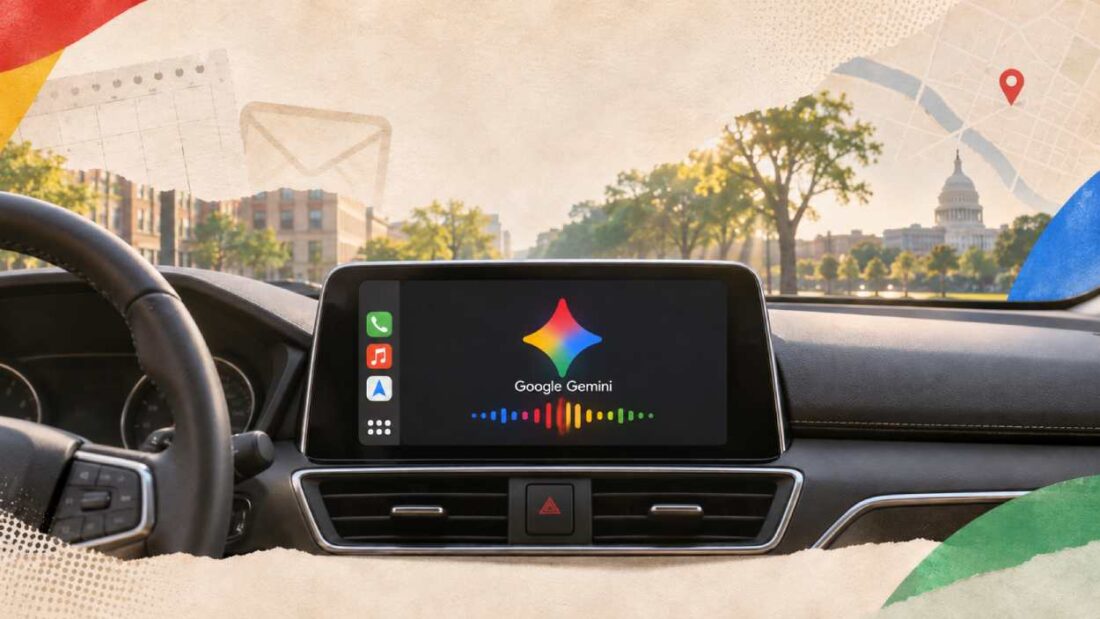
Following our rollout on Android Auto and cars with Google built-in, today we’re bringing the Gemini app directly to Apple CarPlay. Now, iOS users can have natural, free-flowing conversations with Gemini Live right from their car’s display — hands-free, so you can get more done while keeping your hands on the wheel and your eyes on the road.
Pick up where you left off — or start a fresh conversation
We designed Gemini on CarPlay to work like a conversational driving companion that minimizes distraction. When you tap the Gemini app icon on your CarPlay screen or side rail, you can easily pick up where you left off with a recent chat or start a fresh conversation.
You can talk back and forth with Gemini at your own pace — interrupting to add a detail, changing the subject, or pausing when you need to focus on an exit.
Make the most of your drive
Whether you’re commuting or setting out on a road trip, Gemini on CarPlay helps you be more productive during your ride. Here are a few ways to make the most of your drive:
- Get ready for the day ahead: Use your morning commute to see what’s coming up and walk into your first meeting prepared. Ask Gemini what’s on your calendar, when you need to leave for your next appointment, or talk through what you want to say before you arrive.
- Try saying: “What does my day look like?” or “Help me prep for my 10am with the design team.”
- Talk through your inbox: Because Gemini connects with your Google Workspace apps like Gmail and Google Calendar, you can ask for your daily brief 1 , catch up on unread emails, get quick summaries of long email threads, and talk through a quick reply using just your voice.
- Try saying: “Give me my daily brief for today,” or “Catch me up on my unread emails and summarize Sarah’s Q4 budget thread.”
- Explore local spots and landmarks: Ask Gemini for recommendations in the area you’re heading to, from a quick place to grab lunch to the backstory on a local landmark.
- Try saying: “What’s a quick lunch spot in downtown Austin that’s easy to get in and out of?”
- Brainstorm, rehearse, and learn out loud: A quiet car cabin is one of the best places to think out loud. Use Gemini Live as a sounding board to practice an upcoming presentation, prepare for a tough conversation, or break down a complex topic you’ve been curious about.
- Try saying: “Let’s roleplay my Q4 pitch — act as a skeptical VP and challenge my strategy,” or “Break down how solid-state EV batteries work in simple terms.”
And because your CarPlay conversations sync automatically with the Gemini app on your iPhone, every summary, note, and brainstorm is waiting in your chat history the moment you park.
Get started today
Gemini on Apple CarPlay is rolling out globally starting today to all Gemini users on iOS across every supported Gemini Live language.
To get started, make sure you’ve updated to the latest version of the Gemini app on your iPhone, enabled microphone permissions, and used Gemini Live on your phone at least once. The next time you connect your phone to your car, tap the Gemini icon on your CarPlay display, then start a new conversation or pick up a recent one.
Read more
. AI finally sleeps, Gemini 4 Carbon, ETH cracked, energy-based models, Anthropic IPO: AI NEWS
. Expanding AI educator training to new countries
. Expanding Gemini in Gmail to more Google Workspace users
. Schedule meetings in a single click from conversations in Google Chat
. United Airlines bans AI agents from booking flights on behalf of travelers
. AI stocks are sinking: Why is smart money buying IBM instead?
. IBM and Microsoft announce a new AI agent platform designed for industry-specific transformation
. Publish a Sheets canvas as a standalone link
. What is native multimodality? 🍿 Just a moment
. Built on Googlebook: Play Henry Cavill’s video game to support Movember
for more refer Gemini website click here
for more refer Artificial Intelligence website click here