


KVB Bank Form for availing for E-Services (Existing Customers)
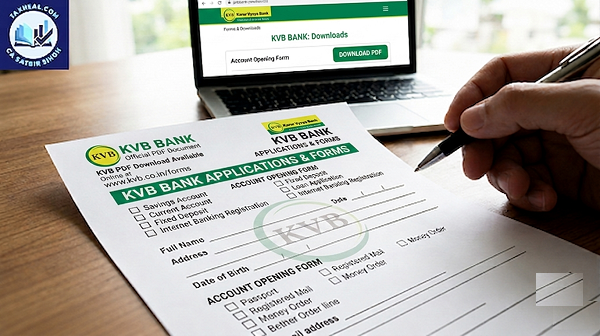
KVB Bank Form for availing for E-Services (Existing Customers) from Download
Based on the provided document pages, here are the key points for the Karur Vysya Bank (KVB) Application for E-Services (specifically for existing customers):
🛠️ Scope of Services Provided
This is a comprehensive combo form allowing individual or corporate accounts to opt into five distinct digital banking channels simultaneously:
- Debit Card & Add-on Card
- Mobile / E-mail Alerts (SMS Banking)
- Mobile Banking (via the KVB DLite app)
- Internet Banking (Retail or Corporate KVB@NET)
📋 Form Filling Rules for Existing Customers
- Ink & Case: The entire application must be filled completely using BLACK INK only and in CAPITAL LETTERS.
- Profile Verification: For existing clients, the details submitted on this form must exactly match your records in the central customer database.
- Visual Identity: You must paste a recent, color, stamp-size photograph in the designated space. The bank strictly prohibits using pins, staples, or tape.
- New Accounts: If you are filling this out concurrently while setting up a brand-new account, you must leave the “Account Number” field blank.
💳 Debit & Add-On Card Specifics
- Deactivation Rules: Upon the issuance of the new debit card from this application, your existing standard ATM card will be permanently deactivated.
- Add-On Restrictions: If your account is not a joint account, an Add-On card can only be requested for your legally wedded spouse.
🌐 Digital Banking and Security Mandates
- Corporate Requirements: Corporate profiles must enclose a copy of the formal Board Resolution/Mandate authorizing the specified users to handle internet banking operations.
- Two-Factor Authentication: For Internet Banking, you must select between standard OTP via SMS/Email or a soft token dynamic passcode via the KVB-Netshield App.
- NRI Customer Alert: For non-resident customers, transactional OTPs will strictly be delivered to your registered Email ID only.
- User Separation: Corporate net banking accounts require you to clearly designate your authorized team members into specific “Maker” (the user who initiates a transaction) and “Checker” (the user who authorizes it) profiles.
📝 The Letter of Mandate
- Third-Party Operations: If you are delegating digital access to another user (whether an account holder or non-account holder), page 3 requires a physical Letter of Mandate for E-Services to authorize them.
- Submission Rule: If you are assigning access to multiple distinct e-services, you must attach a separate, signed mandate page for each independent channel.
Download PDF Click here
Read more
KVB Bank Application form for Agricultural Credit From Download
KVB Bank MSME Loan Application Form Download
KVB Bank ATM Debit Card Application Form Download
KVB Bank International EMV (CHIP) Debit Card Application Form Download
KVB Bank Business Debit Card Application Download
KVB Bank COMPLAINT FORM DOWNLOAD
for more refer KVB Bank website Click here
for more refer YouTube Subscribe website click here