


Smart Ways to use Perplexity AI: 🔍🤖
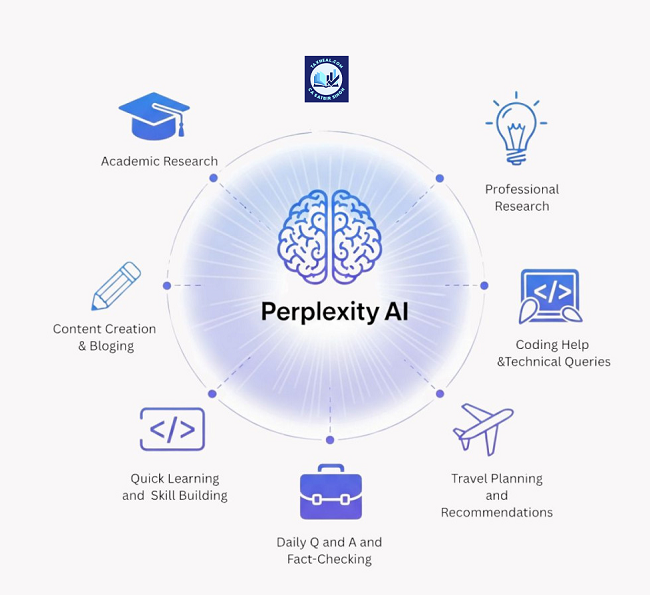
smart ways to use Perplexity AI: 🔍🤖
1. Get accurate, source-backed answers
Prompt:
“Explain with recent data and include sources. Keep it simple and fact-based.”[topic]
2. Do fast, reliable research
Prompt:
“Research and summarize key insights, trends, and statistics with citations.”[topic]
3. Compare tools or technologies
Prompt:
“Compare vs. Include pros, cons, use-cases, and which is better for beginners.”[Tool A][Tool B]
4. Stay updated with latest news
Prompt:
“What are the latest updates on? Include recent developments and reliable sources.”[topic]
5. Fact-check information instantly
Prompt:
“Verify this claim:. Provide evidence and sources to confirm or deny it.”[paste]
6. Learn with credible references
Prompt:
“Teach me step-by-step with examples and include links to trusted resources.”[topic]
7. Find best resources quickly
Prompt:
“Suggest the best free and paid resources to learn, with links and why they are useful.”[skill]
8. Analyze trends and insights
Prompt:
“Analyze current trends in. What’s growing, what’s declining, and why?”[industry]
9. Deep-dive into a topic
Prompt:
“Give me a detailed breakdown of. Include history, current use, and future scope with sources.”[topic]
10. Simplify complex topics with data
Prompt:
“Explain in simple terms, but support it with real data and examples.”[complex topic]
11. Build informed decisions
Prompt:
“Based on current data, what is the best approach for? Include pros, cons, and risks.”[decision]
Pro Tips for Perplexity: 💡
– Focus on research + fact-checking
– Always check cited sources
– Use follow-up questions to go deeper
– Prefer it for latest and reliable info
Using Perplexity AI effectively in 2026 involves shifting from “keyword search” to “agentic workflows.” Since it functions as an answer engine rather than a traditional chatbot, the smartest strategies focus on its ability to browse, synthesize, and execute tasks.
Here are the smartest ways to leverage Perplexity right now:
1. Shift to “Deep Research” for Complex Projects
Unlike standard AI that answers instantly, Deep Research (Pro) spends several minutes performing dozens of searches. It acts as an autonomous analyst.
-
Smart Use: Instead of asking “What is the future of Green Hydrogen?”, ask for a “Market feasibility report on Green Hydrogen adoption in Southeast Asia for 2026–2030.”
-
The Result: It will generate a structured, multi-page report with citations from hundreds of sources, saving you roughly 4–6 hours of manual gathering.
2. Master the “Focus” Modes
Don’t use the “All” search for everything. Narrowing the scope reduces “hallucinations” and increases source quality.
-
Academic: Best for finding peer-reviewed papers without the SEO fluff of the open web.
-
Reddit: Perfect for qualitative research. Use it to find “unfiltered” human opinions on products, travel destinations, or software bugs.
-
YouTube: Perplexity can “watch” videos by scanning transcripts. Ask: “What are the three main takeaways from the Google Cloud Next ’26 keynote regarding the Agentic Data Cloud?”
3. Use the “Perplexity Computer” & Sub-Agents
The latest 2026 updates introduced Perplexity Computer, which orchestrates multiple models to finish a task.
-
Smart Use: You can describe an outcome like “Research the top 5 competitors in the AI marketing space, draft a comparison table, and create a 5-slide outline for a presentation.”
-
Mechanism: It creates “sub-agents” that work in parallel—one searches, one codes the table, and one drafts the content using specialized models (like Opus for reasoning or Gemini for deep retrieval).
4. Automate Recurring Insights
Instead of manual daily searches, use the Tasks and Automation features to turn Perplexity into a personalized newsroom.
-
Smart Use: Schedule a task: “Every Monday at 9:00 AM, summarize the latest amendments to the Indian Income Tax Act 1961 from official government portals.”
-
Notification: You’ll receive a proactive update without having to prompt the AI each week.
5. Document-Based Intelligence
Upload PDFs or spreadsheets to use Perplexity as a “second brain” that also has internet access.
-
The “Triangulation” Technique: Upload a company’s annual report and ask: “Compare the growth claims in this PDF with independent market analysis from Q1 2026 found on the web.” This forces the AI to check the document’s internal data against external reality.
6. Optimization for “Answer Engine Optimization” (AEO)
If you are a creator or business owner, use Perplexity to see how AI “sees” you.
-
Smart Use: Ask, “Why should a customer choose [Your Brand] over [Competitor]?”
-
Strategy: Look at the citations it provides. If it’s citing old blog posts or incorrect data, you know exactly which digital assets you need to update to improve your “AI visibility.”
Comparison of Workflows
| Task | Traditional Search (Google) | Perplexity (Standard) | Perplexity (Deep Research) |
| Fact Checking | Scroll through ads/links. | Instant answer with 3-5 sources. | Verifies against 100+ sources. |
| Writing | Manual drafting. | Drafts based on 2026 data. | Drafts, cites, and formats reports. |
| Complex Planning | Hours of tab-switching. | Basic itinerary/outline. | Full project plan with sub-tasks. |

Read more
80. Automatic dubbing generates translated audio tracks
81. The new Gemini Enterprise Agent Platform is here
82. The Gemini Enterprise app brings AI to your everyday work
83. Our new eighth-generation TPUs are designed to power the AI era.
84. The new Agentic Data Cloud helps make sense of your data.
85. Introducing Gemini’s speech-to-speech translation capabilities
86. Google Cloud Next ’26 Opening Keynote
87. Google Announces Gemini Enterprise Agent Platform: The Future of Agentic AI
88. AI Max for Search Campaigns in Google Ads [Guide]
for more refer Artificial Intelligence website click here
Your Queries solved
Smart Ways to use Perplexity AI,
Smart ways to use perplexity ai reddit,
How to use Perplexity AI for research,
How to use Perplexity AI for free,
How to use Perplexity Pro,
Perplexity how to use AI at work,
How to use Perplexity AI Reddit,
How is Perplexity AI different from ChatGPT,
How to use Perplexity Computer,
YouTube under Google,
Google logo shorts,
Google News facebook,
Google go to Shorts,
Facebook en Google,
Google trending facebook,
Google Facebook number,
Facebook dijiye google,