


Automatic dubbing generates translated audio tracks
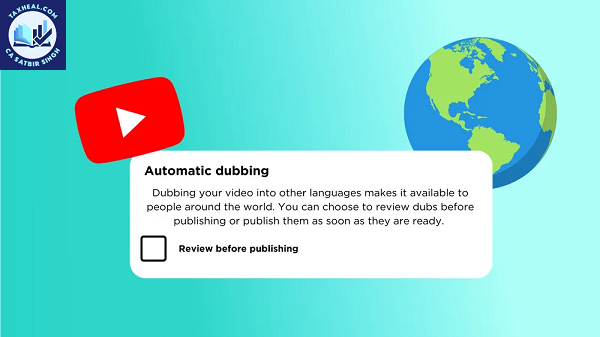
Automatic dubbing generates translated audio tracks in different languages to make your videos more accessible to viewers around the world. Videos with these audio tracks are marked as ‘auto-dubbed’ in the video description.
Viewers can indicate their preferred languages for audio, titles and descriptions, or they can switch between the original and dubbed audio tracks for any specific video. When you upload a new video, dubs will be generated automatically. These dubs will be published according to your publication settings. Over time, we may also generate dubs for previously published videos.
Automatic dubbing quality and eligibility
Automatic dubbing helps make information more accessible globally. Over time, dubs may be regenerated to improve the quality, and the quality may not be the same across all languages. Some languages may support expressive speech, which replicates the original audio’s pitch and intonation to produce more natural-sounding dubs.
We cannot yet successfully and accurately dub all videos, but we’re continually working on improvements. Dubs are generated automatically, so they might contain errors due to mispronunciations, accents, dialects or background noise in the original video. We may also face challenges translating proper nouns, idioms and jargon.
Other issues may arise with speech recognition, like matching the voice used for dubbing to the original voice.
Your video may be ineligible for automatic dubbing due to the following reasons:
- Video length: The video exceeds 120 minutes.
- Audio content:
- The video contains no speech, only music or very little spoken content.
- The original audio is in a language that we do not currently support.
- Source language detection: We were unable to automatically detect the source language of the original audio.
- Speech pacing: The speech in the original audio is too fast, which would result in an unlistenable, sped-up dub.
- Content ID claims: The video contains copyrighted content.
Automatic dubbing best practices
To generate more accurate dubs, confirm that you have accurately set your original video language to the correct language when you upload the video. You cannot edit automatic dubs. However, you, or someone who speaks the target language, can review dubs before publication.
Access to automatic dubbing
This feature is enabled by default for eligible creators. If you don’t have automatic dubbing enabled, you can use early access to enable it. You’ll need to click Enable in Advanced settings.
Available languages
As we evaluate and expand support for additional languages, you may see new languages being evaluated marked as ‘experimental’ in YouTube Studio. For a specific video, you can refer to the Languages 
Automatic dubbing is supported for videos in the following languages. Languages marked with an asterisk support expressive speech, which replicates the original audio’s pitch and intonation to produce more natural-sounding dubs.
Dubbing into English:
|
Dubbing from English:
|
Read more
71. Creating files is now faster and more streamlined with Gemini.
73. Google Wallet adds Aadhaar support in India, expands digital IDs to more countries
76. Show Share & Verify Identity Using Aadhaar App
77. The New Google Photos Feature That Tells You What To Wear
78. The image displays the infotainment screen of a car equipped with Google built-in
79. Prompts to Learn Anything Faster
for more refer Artificial Intelligence website click here
Your Queries solved
Automatic dubbing generates translated audio tracks youtube,
How to turn off dubbing on YouTube on phone,
How to turn off auto dubbing on YouTube as a viewer,
How to turn on auto dubbing on YouTube as a viewer,
How to turn off auto dubbing on YouTube Shorts as a viewer,
Automatic dubbing YouTube,
Turn off auto dubbing YouTube Android,
How to turn on dubbing on YouTube on phone,