


Personalize the content you see on Search, Discover, and News

Personalize the content you see on Search, Discover, and News
Whether you’re following big global headlines or exploring niche local interests, it should be easy to find the sources and topics that matter most to you. Today, we’re introducing new personalization features across Search, Discover, and Google News that give you even more control over your experience, while helping publishers build stronger, direct connections with their readers.
See more of your favorite sites with ease.
We’re releasing a new interactive “Preferred Sources” button that publishers can embed on their pages. When readers click this button, it adds the site as a Preferred Source on Google and immediately directs them back to where they left off on the publisher’s page. Readers more easily find their favorite publications in Top Stories, AI Overviews, and AI Mode, while publishers gain a more seamless way to connect with readers across Google. So far, people have already selected more than 600,000 unique sources.
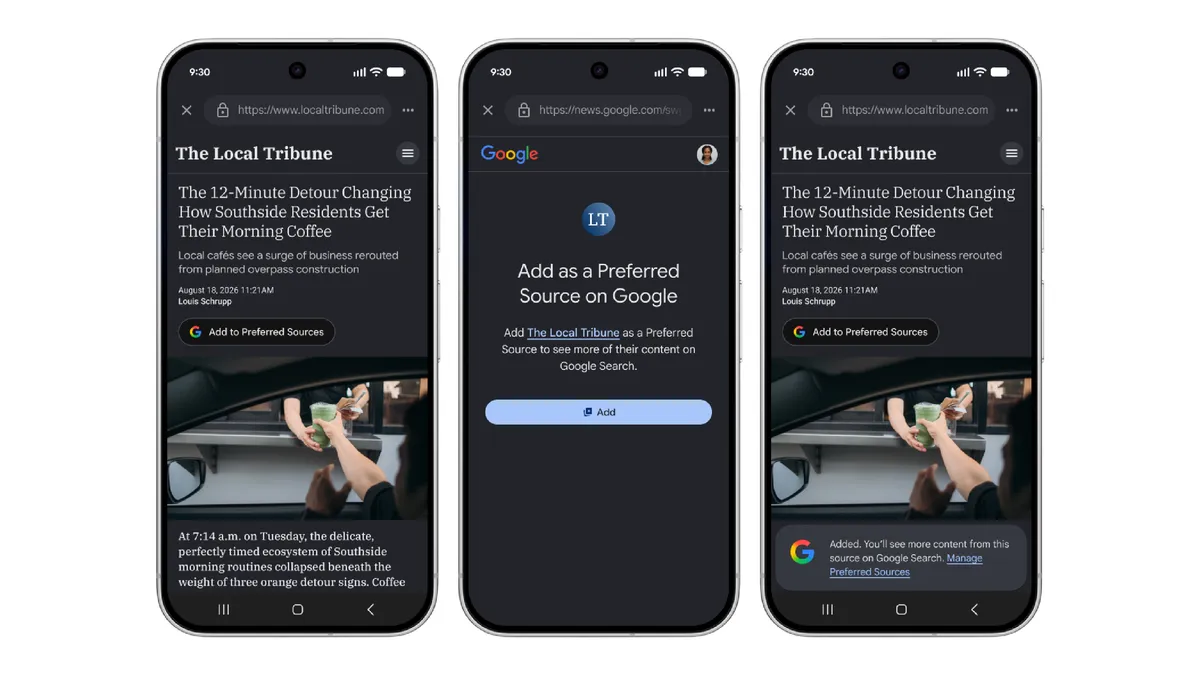
If you’re a publisher, you can find the new “Preferred Source” button code in our Google Search Central documentation to get started.
Tailor your Discover feed, in your own words.
Soon it will be as easy to tune your Discover feed as it is to text a friend. Want to see kitchen reno ideas (eco-friendly only)? Videos about weekend road trips (but no camping)?
In the coming days in the Google app, you’ll be able to tap any three-dot menu in your feed to tell Google the exact topics or links you want to see more (or less) of, in your words. Your feed will adjust on the fly, and remember your requests. By letting you refine your tastes in real time, Discover can connect you with content that genuinely matches what you care about right now.
Click Here Open
Personalize
Customize your audio news.
If you prefer listening to your news on the go, we’re making it easier to customize your daily audio briefings in the Google News app on Android.
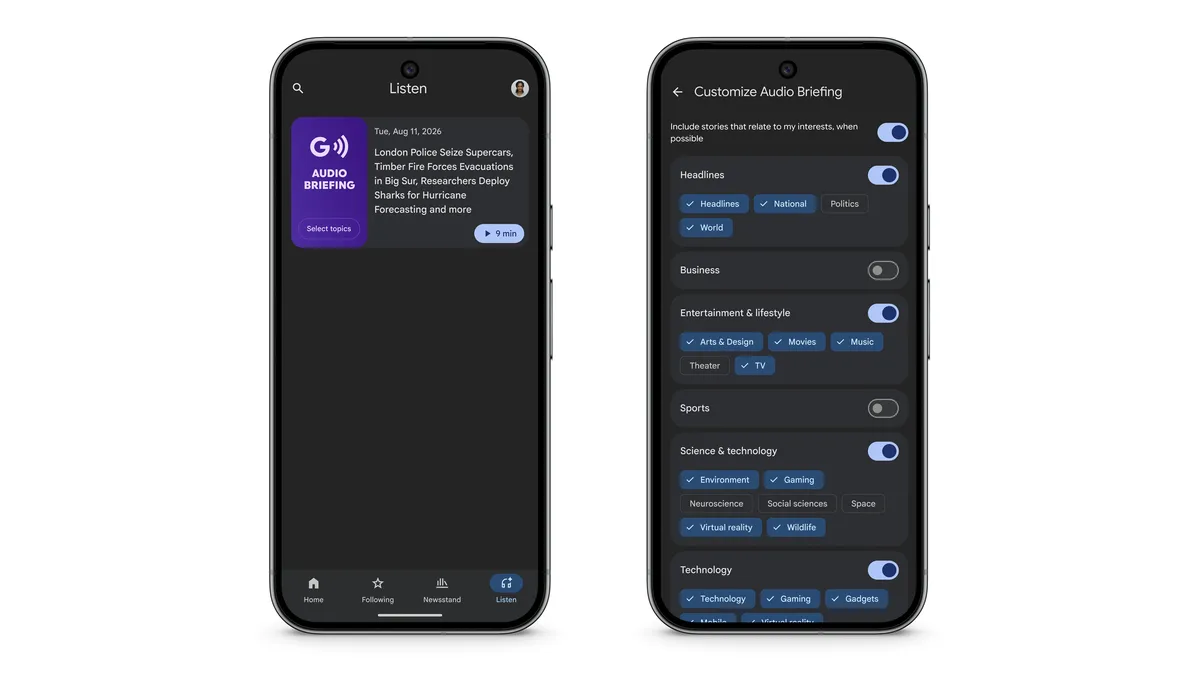
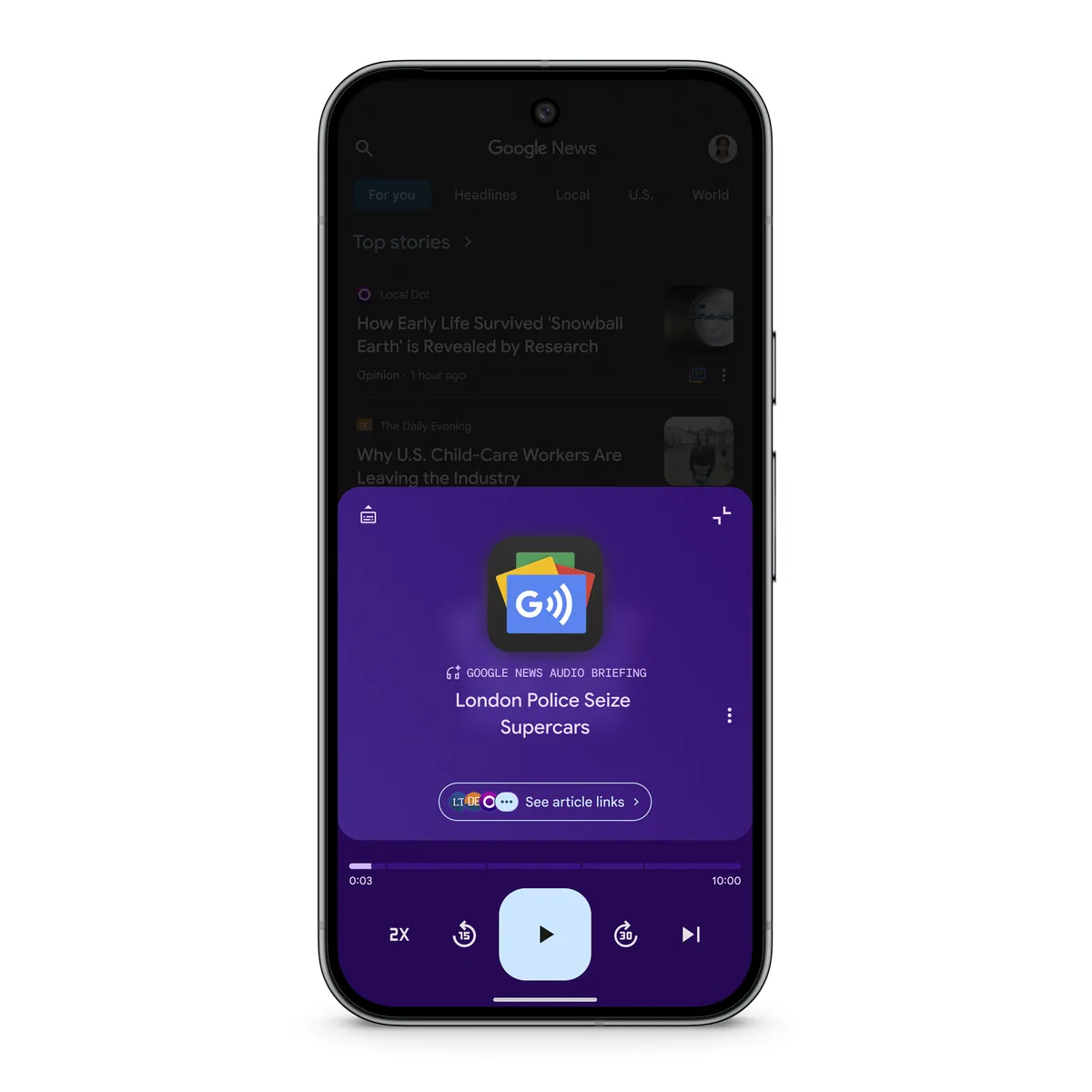
You can now curate your briefings by choosing specific topics, along with clear source attribution and links out to full articles, so you can more easily explore what matters most to you. Plus, thanks to the wide range of publishers participating in our news AI pilot program, you’ll get deeper dives into key stories in the briefing.
These new personalization features make your Google experience uniquely yours. And with the new Preferred Source button, it’s a breeze to stay connected to the sites you like most.
1. Google Search: Set Your “Preferred Sources”
- How to use it: Keep an eye out for an interactive “Preferred Source” button embedded directly on your favorite publishers’ websites or right next to their names in Search results. Tapping this instantly signals Google to prioritize that outlet for relevant topics. [1, 3, 4, 5]
2. Google Discover: Conversational Tuning
- How to use it: Tap the three-dot menu on any Discover card in the Google mobile app. You can type or speak exactly what you want to see more or less of (e.g., “Show me eco-friendly kitchen renovation ideas, but no camping content”). A built-in chatbot will process your request, update your feed in real-time, and remember these explicit preferences moving forward. [2, 4, 5, 6]
3. Google News: Customized Audio Briefings (Android)
- How to use it: Open the app and navigate to your daily audio briefing configuration. You can manually select specific topics and preferred sources. The AI-generated briefings provide clear voice attribution to the original journalists, alongside direct links to the full articles so you can dive deeper into the text later. [1, 5, 7, 8]
Don’t Forget the Basics ⚙️
- Open the Google App and tap your profile picture.
- Go to Settings > Personalization (or Your data in Search).
- Ensure Web & App Activity and Personal results are switched On. [9]
Personalize
Read more
. Context-aware access controls are available for Gemini Enterprise in the Admin console
. Pick up where you left off with persistent drafts in Google Chat
. Apple Event September 26: Recapping announcements of iPhone Duo, iPhone 18 Pro
. Manage external sharing for Gemini Notebook in the Admin console
. Automatic room check-in for Google Meet available on mobile devices
. Create and edit calculated fields in Google Sheets pivot tables with an improved editor
. Go behind closed doors at the Artemis II test facility | Searching
. Google Gemini Back to School 2026
. Make AI Max work for your business with new testing and planning tools.
. Doubled cell limits in Google Sheets now generally available
. Manage external sharing for Gemini Notebook in the Admin console
. Inside the Gemmaverse: Celebrating one billion Gemma downloads
for more refer Gemini website click here
for more refer Artificial Intelligence website click here