
Skip to content
Tax Heal
Follow us on Twitter Follow us on Facebook Follow us on Instagram Follow us on LinkedIn Follow us on rss
  • Home
    • GST Online Course
  • GST Update
    • GST Returns Due Dates
    • Eway Bill
    • GST Act
      • CGST Act 2017
      • UTGST Act 2017
      • IGST Act 2017
      • CGST Ordinance
      • CGST ( Extention to Jammu and Kashmir ) Act 2017
      • IGST Ordinance
      • CGST Bill 2017- As Passed by Lok Sabha
      • UTGST Bill 2017 As Passed by Lok Sabha
      • UTGST Bill 2017 As Introduced Lok Sabha
      • Compensation to States 2017 Act
      • CGST Bill 2017 As Introduced in Lok Sabha
      • IGST Bill 2017 As Passed by Lok Sabha
      • IGST Bill 2017 As Introduced in Lok Sabha
      • Revised Model GST Law (Nov 2016)
      • Model GST Law ( June 2016 )
      • Model IGST Law (Nov 2016)
      • GST Compensation Bill 2017 As Passed by Lok Sabha
      • GST Compensation Bill 2017 As Introduced in Lok Sabha
    • SGST Act
      • SGST Acts
    • GST Rules and Forms
      • CGST Rules 2017
      • IGST Rules 2017
      • GST Forms
      • Draft GST Rules
        • Accounts and Records -April 2017
        • Appeals and Revisions – April 2017
        • Advance Ruling – April 2017
        • E Way Bill Rules April 2017
        • Assessment and Audit Rules – April 2017
        • Composition Rules – March 2017
        • Valuation Rules March 2017
        • Transitional Provisions Rules March 2017
        • Input Tax Credit Rules March 2017
        • Refund Rules March 2017
        • Payment of Tax Rules March 2017
        • Registration Rules March 2017
        • Return Rules March 2017
        • Revised Tax Invoice Rules March 2017
        • ITC Mismatch report-Sept 2016
        • Refund Forms-Sept 2016
        • Payment Rules -Sept 2016
        • Payment formats-Sept 2016
        • Invoice Rules-Sept 2016
        • Invoice formats-Sept 2016
        • Registration Rules-Sept 2016
        • Registration formats- Sept 2016
        • Return Rules-Sept 2016
        • Return Formats-Sept 2016
        • Tax Audit Report: GSTR-9B-Sept 2016
    • Notifications
      • Updated Notifications
      • Central Tax
      • Central Tax Rate
      • Integrated Tax
      • Integrated Tax Rate
      • Union Territory Tax
      • Union Territory Tax Rate
      • Compensation Cess
      • Compensation Cess Rate
    • Circulars
      • Central Tax Circulars / Orders
      • Integrated Tax Circular
    • GST Council
    • GST Judgments
    • GST Rates
      • GST Rates Goods
      • GST Rate – Services with Exemption List
      • GST Cess Rates
      • IGST Exemptions/Concessions List
    • Commentary on GST
    • GST Press Release
    • FAQ’s on GST
      • FAQ on GST by CBEC March 2017
      • FAQ on GST by CBEC- Sep 16
      • FAQs on GST-Aug 16
    • Video Tutorial-GST
    • GST History and Background Material
      • Background Material
        • GST Concept
        • GST Presentation-CBEC
        • CBEC
        • ICAI
  • Artificial Intelligence
  • Income Tax
    • Income Tax
      • Income Tax Commentary
      • Income Tax Press Release
      • Important Sections
      • Income Tax Forms
      • Important Rules
      • Income Tax Notification
      • Income Tax Circular
      • Income Tax Instructions
      • Income Tax Office Memorandum
      • Income Tax Judgments
      • Income Tax Video
    • Benami Property
    • PMGKY 2016
    • ICDS
      • ICDS-I
      • ICDS-II
      • ICDS-III
      • ICDS-IV
      • ICDS-V
      • ICDS-VI
      • ICDS-VII
      • ICDS-VIII
      • ICDS-IX
      • ICDS- X
    • Union Budget
      • Budget FY 2017-18
    • Direct Tax Dispute Resolution Scheme
  • Books
    • New Releases in Book Store
    • GST
    • CA Exam
      • CA Final
      • CA -IPCC
    • CS Exam
      • CS Executive Exam Books
    • CMA Exam
    • Income Tax
    • Companies Act
    • Service Tax
    • FEMA
    • Law
    • Business
    • Accounting Standards
    • Auditing
    • Insurance
    • Real Estate
    • IT
    • Negotiable Instruments
    • Financial Management
  • Finance
    • FEMA
    • Company
      • Companies Act 2013
      • Accounting Standard
    • Service Tax
      • Excise and custom
        • Excise
        • Central Excise (N.T) Notifications
        • Cenvat Credit
        • Custom
    • other Acts
      • Real Estate Act 2016
        • Real Estate Books
      • Negotiable Instruments Act
      • Gujarat Vat Act
      • Chhattisgarh VAT
      • Haryana Vat Act
      • KERALA VALUE ADDED TAX
      • Uttarakhand Value Added Tax Act
      • Information Technology Act
      • Competition Act 2002
      • CST
    • Audit
    • RBI
    • SEBI
    • IFRS
    • IRDA
    • Notifications
    • Supreme Court Judgment
    • Empanelment
    • International Taxation
    • Books
      • Australia
      • China
      • Vietnam
    • Judgements
    • Accounting Standards
      • Ind AS- An Overview -ICAI Edition 2016
      • Books
    • Submit Articles
    • Guidance Note
    • Free Downloads
    • Labour Laws
    • Insolvency and Bankruptcy Code 2016
    • TaxHeal Mobile App
  • Bank
  • History
  • News
    • Knowledge
  • USA IRS

How to Build Apps and Automate Tasks with Google Antigravity 2.0

By Ashwani Kumar | August 6, 2026
0 Comment

How to Build Apps and Automate Tasks with Google Antigravity 2.0


How to Build Apps and Automate Tasks with Google Antigravity 2.0

#Antigravity #GoogleAI #GoogleGemini
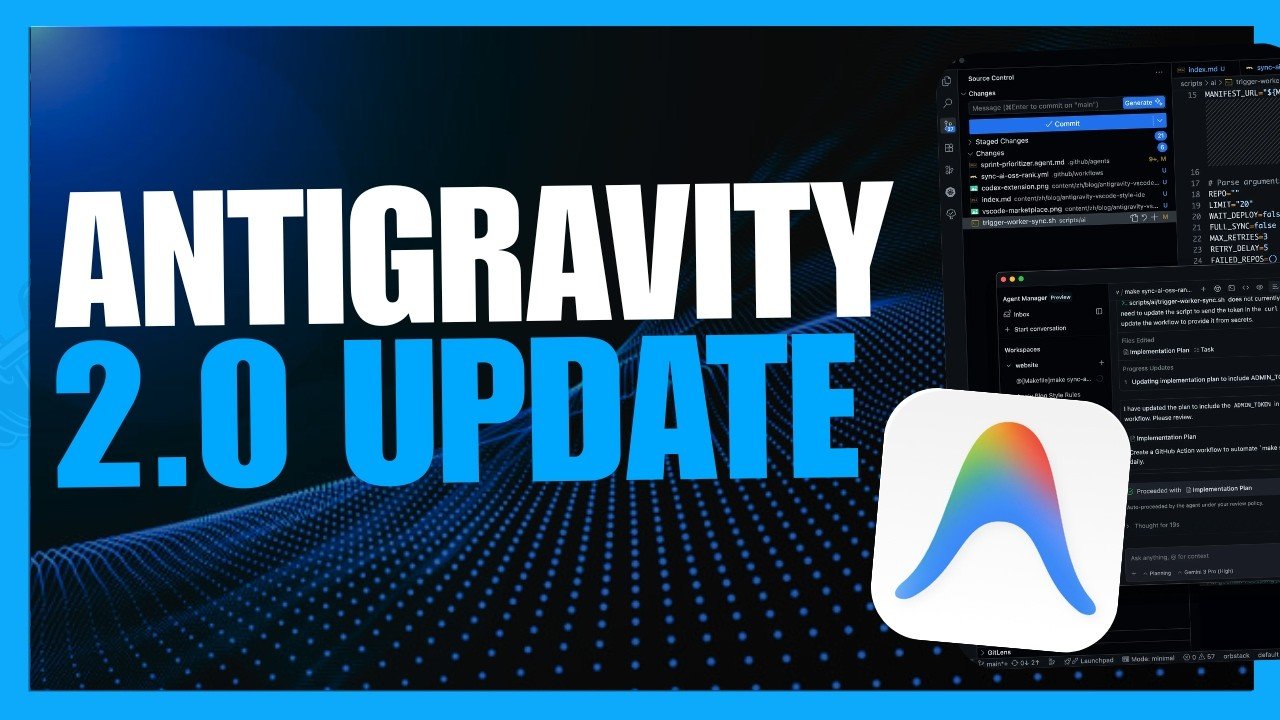
Google Antigravity 2.0 is your standalone desktop command center, designed to run autonomous AI agents in parallel. Watch this video to see AI agents plan, build, test, and execute complex workflows simultaneously.
Antigravity also comes as CLI, an IDE, and SDK.
This site is a great resource to guide you as you ramp up on all things Antigravity: https://antigravity.google/

Google Antigravity 2.0 is a standalone desktop application designed to serve as a command center for managing and interacting with AI agents (0:19–0:23).

Key Capabilities:

  • Parallel Execution: It allows you to run multiple autonomous AI agents simultaneously across various projects, meaning you don’t have to wait for one task to finish before starting another (0:33, 1:26–1:46).
  • Project Planning & Execution: The agents can plan, build, test, and execute complex workflows. Users can interact with agents using prompts like “/grill me” to refine plans, leave notes for the agent, and review a full walkthrough of the finished work (0:16, 0:43–1:05).
  • Automation: It can be used for tasks like custom app development (e.g., Chrome extensions or 3D modeling tools) and scheduled automation, such as cleaning up desktop files and folders (0:00–0:12, 1:07–1:22).

Ecosystem:

In addition to the desktop app, Antigravity is available as a CLI (Command Line Interface), an IDE (Integrated Development Environment), and an SDK (Software Development Kit) (1:53–1:58). You can learn more at antigravity.google.
How to Build Apps and Automate Tasks with Google Antigravity 2.0

Google Antigravity 2.0 is Google’s dedicated multi-agent ecosystem designed to build custom software, deploy AI agents, and run complex workflows using simple language. Annouced at Google I/O 2026 as a major evolution from the original IDE-bound tool, version 2.0 functions as a standalone command center capable of spinning up parallel, dynamic subagents to handle complex development tasks autonomously. [1, 2, 3, 4, 5]
Here is how you can use Antigravity 2.0 to build applications and automate tasks. [6, 7, 8]

The Antigravity 2.0 Ecosystem

You can interface with the platform using four distinct surfaces depending on your technical workflow: [3, 9]

  • Desktop App: The main standalone command center for macOS, Windows, and Linux to run multiple agents in parallel.
  • Antigravity IDE: A fully agentic development environment natively aware of your entire codebase.
  • Antigravity CLI: A fast, terminal-first option to interact with background agents, execute shell commands, and skip the GUI.
  • Antigravity SDK & API: A Python-supported framework (google-antigravity) to programmatically build, secure, and scale custom agent harnesses. [3, 9, 10, 11]


Step 1: Initialize Your Project Workspace

Antigravity organizes everything around “Projects” rather than singular chat threads. [4, 12, 13]
  1. Download and open the Antigravity 2.0 Desktop App.
  2. Create a new project and link a local workspace folder or link directly to a Git repository.
  3. The platform will automatically structure directories like app_build/ (for the code) and skills/ (for AI instruction manuals) to keep operations isolated and organized. [4, 6, 10]


Step 2: Define and Blueprint the App (The “/grill” Command)

If you do not know the exact technical implementation, Antigravity features a reverse-interview process to map out logic. [14]

  • Use the /grill command: Type /grill followed by your basic idea (e.g., “Build a cross-platform time tracking tool for my freelance business.”).
  • The Agent Interview: The primary AI agent will ask clarifying questions about features, your ideal tech stack, and API requirements.
  • Review the Plan: The system outputs an interactive blueprint. You can directly annotate, edit, and approve the steps before the agents begin execution. [14]


Step 3: Choose Your Execution Mode

Antigravity 2.0 processes your tasks through two primary operational behaviors: [1, 12]

  • Fast Mode: Used for rapid, simple executions (e.g., minor script tweaks or quick automation chains) where the AI acts instantly without heavy architectural mapping. [1]
  • Planning Mode: Essential for building complex apps. In this mode, the platform pauses to logically break down your prompt, draft an implementation strategy, and look for parallel tasks it can offload to dynamic subagents. [1, 2]


Step 4: Multi-Agent Parallel Building & “Artifacts”

Once approved, the application orchestrates specialized agents to build different components simultaneously. [7, 13]

  • Parallel Execution: While one subagent structures a secure backend database (e.g., using Go and SQLite), a parallel subagent designs the frontend user interface, and a third researches localized API translation files. [7, 13]
  • Monitoring Artifacts: As work progresses, the system delivers “Artifacts”—tangible logs, step-by-step code blocks, and visual walkthrough summaries that allow you to track exactly what the AI has built. [2, 13, 14]
  • Just-In-Time Context (Skills): If your app requires specific third-party integration, you can drop modular technical instruction manuals (.md files) into the skills/ folder to instantly inject that knowledge into the agent’s active memory. [6, 13]


Step 5: Native Automations and Scheduled Tasks

Antigravity 2.0 extends beyond web applications to control native operating system background automations. [8]

  • Native Automations: You can prompt it to generate native Swift daemons or Windows background services to manage your local machine (such as auto-tagging documents based on modification dates).
  • Scheduled Tasks: You can input a standard cron schedule directly into the UI (e.g., “Run this agent every Friday at 5 PM”), and the agent will run autonomously in the background to handle data backups, report processing, or system cleanups. [2, 3, 8]


Step 6: Testing and Turbo Deployments

  • Turbo Mode / Self-Testing: By enabling Turbo configurations, you give Antigravity permission to autonomously handle compilation, install required libraries, run local test suites, and troubleshoot its own bugs without bottlenecking your flow.
  • Review and Polish: Provide direct real-time feedback within the chat loop or on specific Artifact assets to refine user interface styles or fix logical edge cases before concluding the project. [8, 9, 13]


To tailor this guide for your workspace, tell me:

  • What specific type of app or automation task are you trying to build?
  • Do you prefer a no-code English framework or are you looking to use the Python SDK / CLI?
  • Are you integrating local files or connecting to cloud services?

Read more

. Meet Qwen3.8-Max: A New Bar for Coding and Cowork

. 5 ways to host the ultimate dinner party with Google Search

. 5 ways AI Mode in Search helps you enjoy the real world

. These Google Trends show people really want to touch grass

. 2026-07-01 124 344 Codex Pets Meet The Team USEN YOUTUBE 1920×1080

. OpenAI’s New AI ASTRA Is Total Overkill (Ends The GPT Era)

. 3 new ways nonprofits can put AI to work

. Gemini API Managed Agents: 3.6 Flash, hooks, and more

. Provide more clear, contextual feedback with timestamped comments in Google Drive videos

. Gemini in Google Classroom is expanding to users of all ages, with contextualized Gemini starter prompts for students

. How Gemini Flash agents are helping a Michigan dairy farmer

************************************************************

. Google Pixel 11 Pro Fold Open

. Gemini for macOS adds new natural language capabilities

. Visual screenshots now included in Google Meet meeting notes

. Gemini in Google Classroom is expanding to users of all ages, with contextualized Gemini starter prompts for students

. Streamlining rubric generation in Google Classroom with Gemini

for more refer Gemini website click here

for more refer Artificial Intelligence  website click here

Category: Artificial Intelligence Tags: AI Gemini, Antigravity browser extension, Antigravity IDE, Antigravity IDE download, Automate Tasks, Build Apps, Build apps and automate tasks with google antigravity android, Build apps and automate tasks with google antigravity free, Build apps and automate tasks with google antigravity github, Building with Google Antigravity, Facebook en Google, Gemini, Gemini AI, Gemini AI app, Gemini Live, Google, Google Antigravity 2.0, Google Antigravity AI, Google Antigravity CLI, Google Antigravity documentation, Google Antigravity extension, Google Antigravity IDE, Google Antigravity vs Claude Code, Google com sign in, Google Facebook number, Google Flow AI video, Google Gemini, Google Gemini AI photo, Google India careers, Google India Gemini, Google India office, Google News facebook, Google search image, Google trending facebook, Hey Google, Is Google Antigravity free, What is Google Antigravity, What is Google Antigravity used for, whatsapp, YouTube under Google
Post navigation
← Streamlining rubric generation in Google Classroom with Gemini

Categories


Tax Heal Youtube Channel

https://youtu.be/jlzygPLPNno
August 2026
M T W T F S S
 12
3456789
10111213141516
17181920212223
24252627282930
31  
« Jul    

Bank

Dont Forget to Subscribe for Latest Updates and News

Enter your email address:

Delivered by FeedBurner

Recent Posts

  • How to Build Apps and Automate Tasks with Google Antigravity 2.0
  • Streamlining rubric generation in Google Classroom with Gemini
  • Gemini in Google Classroom is expanding to users of all ages, with contextualized Gemini starter prompts for students
  • Visual screenshots now included in Google Meet meeting notes
  • Corrigendum w.r.t. Employees Pension Scheme, 2026
  • Corrigendum w.r.t. Employees Provident Funds (EPF) Scheme, 2026
  • Notification Schedule III (Table Sl No 36) read with Section 11 of the Income Tax Act, 2025 (30 of 2025) in the case of Noida Special Economic Zone Authority
  • Notification section 536 (1) of the Income Tax Act, 2025 (30 of 2025) in the case of Odisha Joint Entrance Examination Committee
  • Notification section 536 (1) of the Income Tax Act, 2025 (30 of 2025) in the case of Noida Special Economic Zone Authority-2
  • Notification section 536 (1) of the Income Tax Act, 2025 (30 of 2025) in the case of Noida Special Economic Zone Authority

TaxHeal

About Taxheal – Daily Tax ,GST & Law Updates Contact Us
  • Useful Links & GST
  • Disclaimer
  • New Releases in Book Store
  • TAXHEAL Mobile App Privacy Policy
  • National Company Law Tribunal
    Bank Concurrent Audit Procedure Manual

    Archives

    • August 2026
    • July 2026
    • June 2026
    • May 2026
    • April 2026
    • March 2026
    • February 2026
    • January 2026
    • December 2025
    • November 2025
    • October 2025
    • September 2025
    • August 2025
    • July 2025
    • June 2025
    • May 2025
    • April 2025
    • March 2025
    • February 2025
    • January 2025
    • December 2024
    • November 2024
    • October 2024
    • September 2024
    • August 2024
    • July 2024
    • June 2024
    • May 2024
    • April 2024
    • March 2024
    • February 2024
    • January 2024
    • December 2023
    • November 2023
    • October 2023
    • September 2023
    • August 2023
    • July 2023
    • June 2023
    • May 2023
    • April 2023
    • March 2023
    • February 2023
    • January 2023
    • December 2022
    • November 2022
    • October 2022
    • September 2022
    • August 2022
    • July 2022
    • June 2022
    • May 2022
    • April 2022
    • March 2022
    • February 2022
    • January 2022
    • December 2021
    • November 2021
    • October 2021
    • September 2021
    • August 2021
    • July 2021
    • June 2021
    • May 2021
    • April 2021
    • March 2021
    • February 2021
    • January 2021
    • December 2020
    • November 2020
    • October 2020
    • September 2020
    • August 2020
    • July 2020
    • June 2020
    • May 2020
    • April 2020
    • March 2020
    • February 2020
    • January 2020
    • December 2019
    • November 2019
    • October 2019
    • September 2019
    • August 2019
    • July 2019
    • June 2019
    • May 2019
    • April 2019
    • March 2019
    • February 2019
    • January 2019
    • December 2018
    • November 2018
    • October 2018
    • September 2018
    • August 2018
    • July 2018
    • June 2018
    • May 2018
    • April 2018
    • March 2018
    • February 2018
    • January 2018
    • December 2017
    • November 2017
    • October 2017
    • September 2017
    • August 2017
    • July 2017
    • June 2017
    • May 2017
    • April 2017
    • March 2017
    • February 2017
    • January 2017
    • December 2016
    • November 2016
    • October 2016
    • September 2016
    • August 2016
    • July 2016
    • June 2016
    • May 2016
    • April 2016
    • March 2016
    • February 2016
    • January 2016
    • December 2015
    • November 2015
    • October 2015
    • September 2015
    • August 2015
    • July 2015
    • June 2015
    • April 2015
    • September 2014
    • April 2014
    • June 2013
    • April 2013
    • March 2012
    • August 2011
    • June 2011
    • April 2011
    • January 2011
    • April 2009
    • January 2009
    • February 2005
    • July 2001
    • June 2000
    • January 1998
    • April 1994
    • August 1989
    • June 1989
    • October 1988
    Tax Heal © 2014 - 2026. All rights reserved.
    CA Satbir Singh M-09872233989 Email-Taxheal@gmail.com
    Iconic One Theme | Powered by Wordpress