


Use NotebookLM in your Google Workspace Studio flows

Use NotebookLM in your Google Workspace Studio flows
We’re integrating NotebookLM into Google Workspace Studio. This enhancement lets you use your existing notebooks as an AI knowledge source for your automations. You can use the new Ask NotebookLM step to generate grounded responses based on the insights, summaries, and research in your notebooks.
Getting started
- Admins: This step is available by default if you allow Gemini for Google Workspace steps. Visit the Help Center to learn more about managing access to steps and starters in Workspace Studio.
- End users: Try the feature in Google Workspace Studio. Visit the Help Center to learn more about the Ask NotebookLM step.
Rollout pace
- Rapid Release and Scheduled Release domains: Full rollout (1–3 days for feature visibility) starting on May 12, 2026
Availability
- Business: Business Starter, Standard, and Plus
- Enterprise: Enterprise Standard and Plus
- Education: Education Fundamentals, Standard, and Plus
- Education Add-ons: Google AI Pro for Education; Teaching and Learning
- Other Add-ons: AI Expanded Access*
Resources
- Google Workspace Admin Help: Workspace Studio
- Workspace Studio Help: Get Started with Workspace Studio
- YouTube: Workspace Studio Playlist
- Discord: Workspace Studio Channel
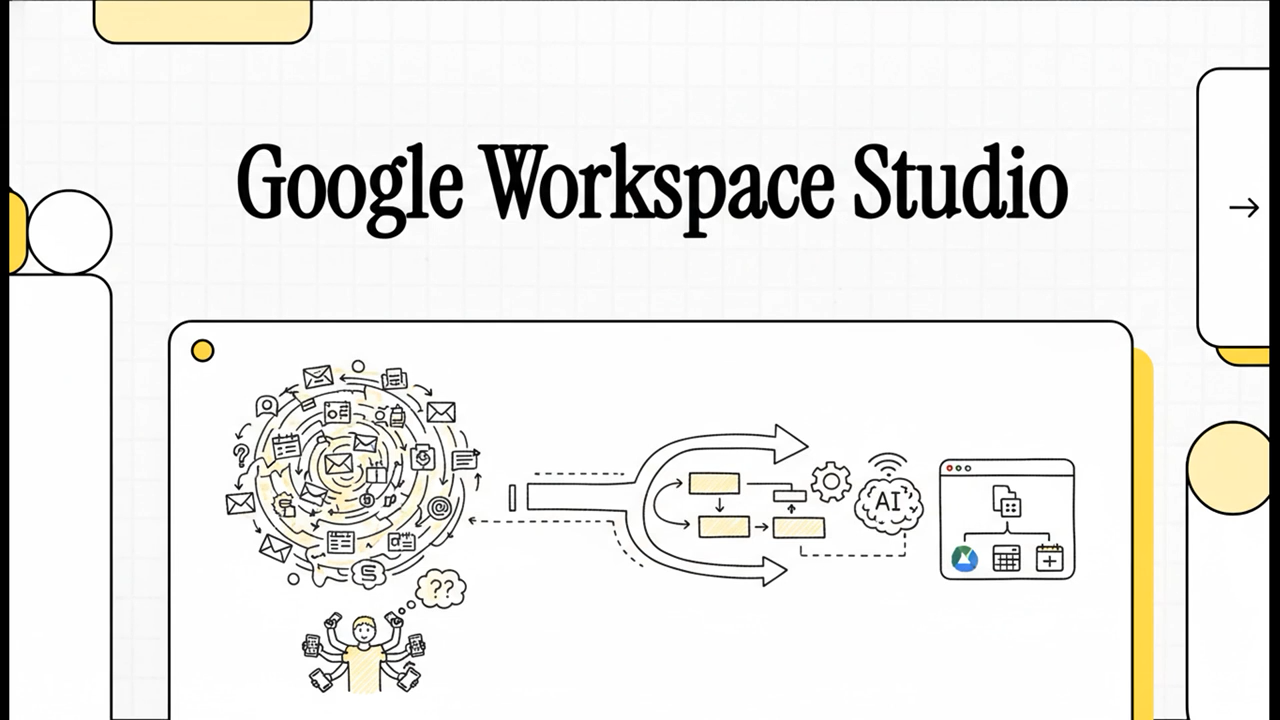
The integration of NotebookLM into Google Workspace Studio (launched May 12, 2026) allows you to use your existing notebooks as a “Source of Truth” for automated workflows. By adding your research, policy documents, or meeting notes as an AI knowledge source, you can ground your automations in specific, verified data rather than general model knowledge.
Core Components of the Flow
To use NotebookLM in Workspace Studio, you primarily interact with the “Ask NotebookLM” step. This acts as the reasoning engine within your automation.
-
Trigger: An event (like a new email in Gmail or a form submission) starts the flow.
-
Action (Ask NotebookLM): The flow queries a specific notebook to extract insights or generate a grounded response.
-
Output: The result is sent to another Workspace app (e.g., drafting a reply in Gmail or creating a summary in Docs).
Key Features and Capabilities
| Feature | Description |
| Grounded Responses | Uses your notebook sources (PDFs, Docs, Slides, or Transcripts) to answer questions without hallucinations. |
| Automatic Sourcing | You can now programmatically add new sources to a notebook via Studio flows, keeping your knowledge base current. |
| Multimodal Inputs | Works with text, Audio Overviews, and even the new “Video Overviews” or infographics generated within NotebookLM. |
| Security | As a core Workspace service, data used in these flows is not used to train Google’s models. |
Practical Use Cases
-
Automated FAQ Support: Create a flow that triggers when a customer emails a question. The “Ask NotebookLM” step searches your “Product Manual” notebook and drafts a precise, cited response in Gmail.
-
Executive Briefings: Set a weekly trigger that gathers new project reports in a folder, sends them to NotebookLM for synthesis, and then uses Workspace Studio to create a formatted brief in Google Docs.
-
Bid and RFP Management: Connect a Gem (Custom Gemini agent) to a NotebookLM notebook containing hundreds of past case studies and technical specs. The flow can then automatically draft initial bid responses based on new RFP documents.
Getting Started
-
Admins: Ensure the “Ask NotebookLM” step is enabled in the Admin Console (usually on by default if Gemini steps are allowed).
-
Users: In Google Workspace Studio, look for the NotebookLM category in the “Add Step” menu when building a new flow.
Read more
140. Join the new AI Agents Vibe Coding Course from Google and Kaggle
141. Add avatars when you convert presentations to Vids
142. Reclaim your time with Pause Point.
143. How were protecting you from scams and fraud
144. How Introducing Googlebook
145. The Android Show: I/O Edition | Googlebook
146. Introducing Gemini Intelligence
147. Android makes it easier to share, switch and connect securely
for more refer Artificial Intelligence website click here