


Build tools with AI Studio to make your workday easier | Google AI Professional Certificate
Build tools with AI Studio to make your workday easier | Google AI Professional Certificate
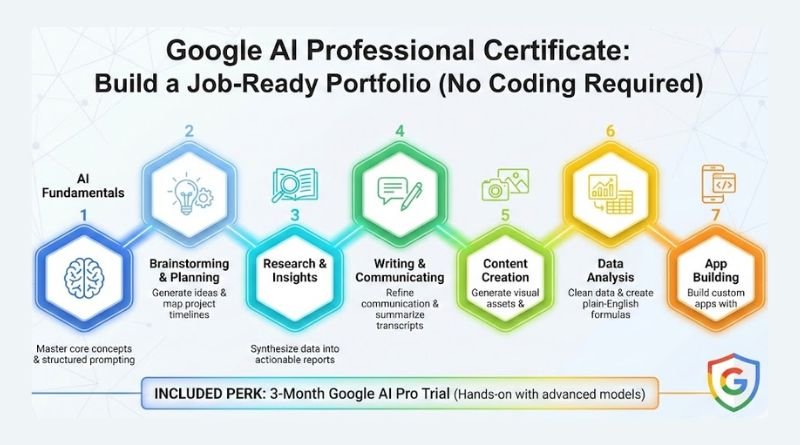
It’s easier than you think to build your own custom app in AI Studio — no coding experience required. In this video from Course 7 of the Google AI Professional Certificate, you’ll learn how to use natural language to vibe code functional, custom apps. This video explains how to build practical apps with AI to use at your job, like a decision-making tool and an interactive dashboard. You’ll walk away with an understanding of how vibe coding can help solve your unique workplace challenges and streamline your workflows.
Enroll in the full course HERE to become AI fluent: https://www.coursera.org/google-certi…
Vibe coding represents a shift from being a traditional user of AI to a builder of AI-powered solutions without needing technical coding experience (1:31 – 1:41). Here is what makes it unique:
- Natural Language Interaction: Instead of writing syntax-heavy code, you describe your desired outcome, workflow, or * Agentic AI Collaboration: Unlike standard chatbots that only respond to text, vibe coding leverages agentic AI. This means the model acts as an agent, taking actions on your behalf—such as writing code, building the interface, and ensuring technical components work together—under your supervision (2:38 – 3:00).
- Iterative Design: It treats software development like a creative conversation. You provide specific feedback, troubleshoot errors together with the model, and refine the application incrementally until it matches your vision (7:36 – 8:07).
- Visual Annotation: You can even use tools to annotate screenshots of your app directly, and the model interprets those visual comments to adjust the design, making the development process highly intuitive (25:29 – 26:27).
In essence, it changes the role of the user from a programmer to a director and tester of the application, focusing on the vibe—or the goal—rather than the technical mechanics (4:02 – 4:18).
Read more
145. The Android Show: I/O Edition | Googlebook
146. Introducing Gemini Intelligence
147. Android makes it easier to share, switch and connect securely
148. Use NotebookLM in your Google Workspace Studio flows
149. Generate video with Veo 3: Now available in Google Vids
150. What’s New in Android Security and Privacy in 2026
151. Helping founders build stronger AI products: Introducing Google for Startups Immersion
152. Catch the recap of The Android Show | I/O Edition!
153. Expanded options for header images in Google Forms
154. The Android Show: Developers Cut
155. The Android Show I/O Edition 2026: Everything Announced in 14 Minutes
156. My New Google Fitbit Air Commercial
157. Android-based all-in-one room devices from Neat and Logitech certified for Google Meet
for more refer Artificial Intelligence website click here