


How Android helps keep you safe from impersonation scams with fake call detection
How Android helps keep you safe from impersonation scams with fake call detection
Imagine your phone rings. The caller ID says “Mom.” You answer, and it sounds exactly like her; she has the same tone, the same voice. However, the person on the other end isn’t your mom — it’s a scammer using AI tools to impersonate her and demand money from you for a fake emergency.
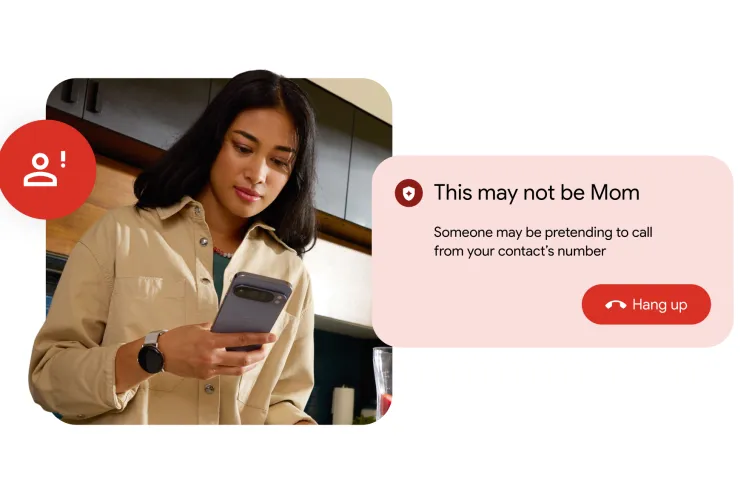
To help protect you from the growing threat of impersonation scams, Android is introducing fake call detection, an industry-first protection that can detect and flag suspected spoofed calls when your contact and you are both using Phone by Google. This builds on our recent launch of verified financial calls, which warns you if a scammer is attempting to impersonate your financial institution.
Marking a major milestone in mobile security, fake call detection helps protect you, your family and friends by identifying when a caller isn’t who they claim to be, giving you an extra layer of defense against sophisticated AI-voice cloning scams, also called deepfake attacks, of your contacts.
The Growing Threat of Impersonation Attacks
Phone and online scams are a massive and growing problem. INTERPOL’s March 2026 Global Financial Fraud Threat Assessment cited impersonation fraud as one of the leading contributors to over $400 billion in global losses. Impersonation scams are also among the top reported frauds to the FTC, with losses totaling $2.95 billion in 2024 and growing worldwide. For years, people have relied on caller ID to know who is on the other end of the line, but this is no longer sufficient due to scammers’ new tactics.
With many people refusing to pick up calls from unknown numbers, scammers are shifting strategies and impersonating the phone numbers of contacts. Scammers are combining two powerful tactics to steal your money and data:
- Scammers spoof the phone number, routing calls through internet-based software to make it appear as though the call is originating from a familiar, contact.
- Then they use easily accessible AI deepfake technology to sound exactly like an authority figure, family member, or employer. In fact, experts say AI audio deepfakes have become so realistic that most people can no longer reliably distinguish them from real human voices.
How Android Detects and Alerts You of Fake Calls
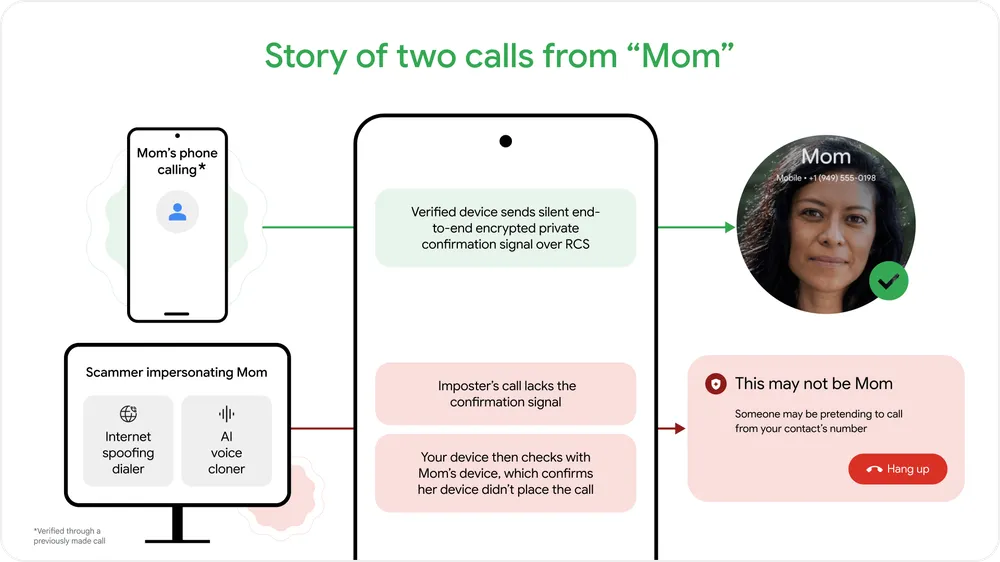
This feature is on by default and works automatically behind the scenes. Think of it like a digital handshake between devices. When a contact calls you and you’re both using Phone by Google, their device sends a silent confirmation signal in real time to your device to verify the call is legitimate and truly coming from the contact’s device. Because this digital handshake uses end-to-end encrypted Rich Communication Services (RCS) technology, it is completely private.
If a scammer tries to impersonate your contact, that initial confirmation signal will be missing. Your device will instantly notice this and ping your contact’s actual device to double-check. If their real device says, “I’m not making a call right now,” you’ll get a warning on your screen advising you to hang up immediately. This proactive alert helps you avoid falling victim to deepfake impersonation and call spoofing in real time. You can disable this feature at any time in the Phone by Google app settings.
Availability
We are rolling out fake call detection globally in Phone by Google to Android 12+ devices this month starting with Pixel devices 1 . Phone by Google is already the default phone app for the majority of Android devices. If your device uses a different app, you can install Phone by Google from the Play Store and set it as your default phone app to help protect yourself from fake calls.
Security shouldn’t be limited to just one type of phone or app. We want to raise the bar across the industry to help protect as many people as possible. That’s why we built this feature on top of Rich Communication Services (RCS), an open standard – making it possible for other apps and device manufacturers to adopt this technology.
Google’s Continued Leadership in Protecting Users
Google has a long history of leading the fight against impersonation and scams:
- AI-powered Scam Detection in Google Messages automatically helps protect Android users from malicious scam texts. And for extra peace of mind, Pixel and Samsung users can also enable Scam Detection in the Phone by Google app to flag scam calls.
- In Gmail we support Brand Indicators for Message Identification (BIMI).
- With RCS for Business, senders are verified so you know exactly which businesses are contacting you.
- We’ve championed and integrated STIR/SHAKEN authentication at the network level in multiple countries.
Fake call detection represents the next major step in our industry-leading protections against scams. As scammers grow more sophisticated, we are continuing to expand and evolve our protections
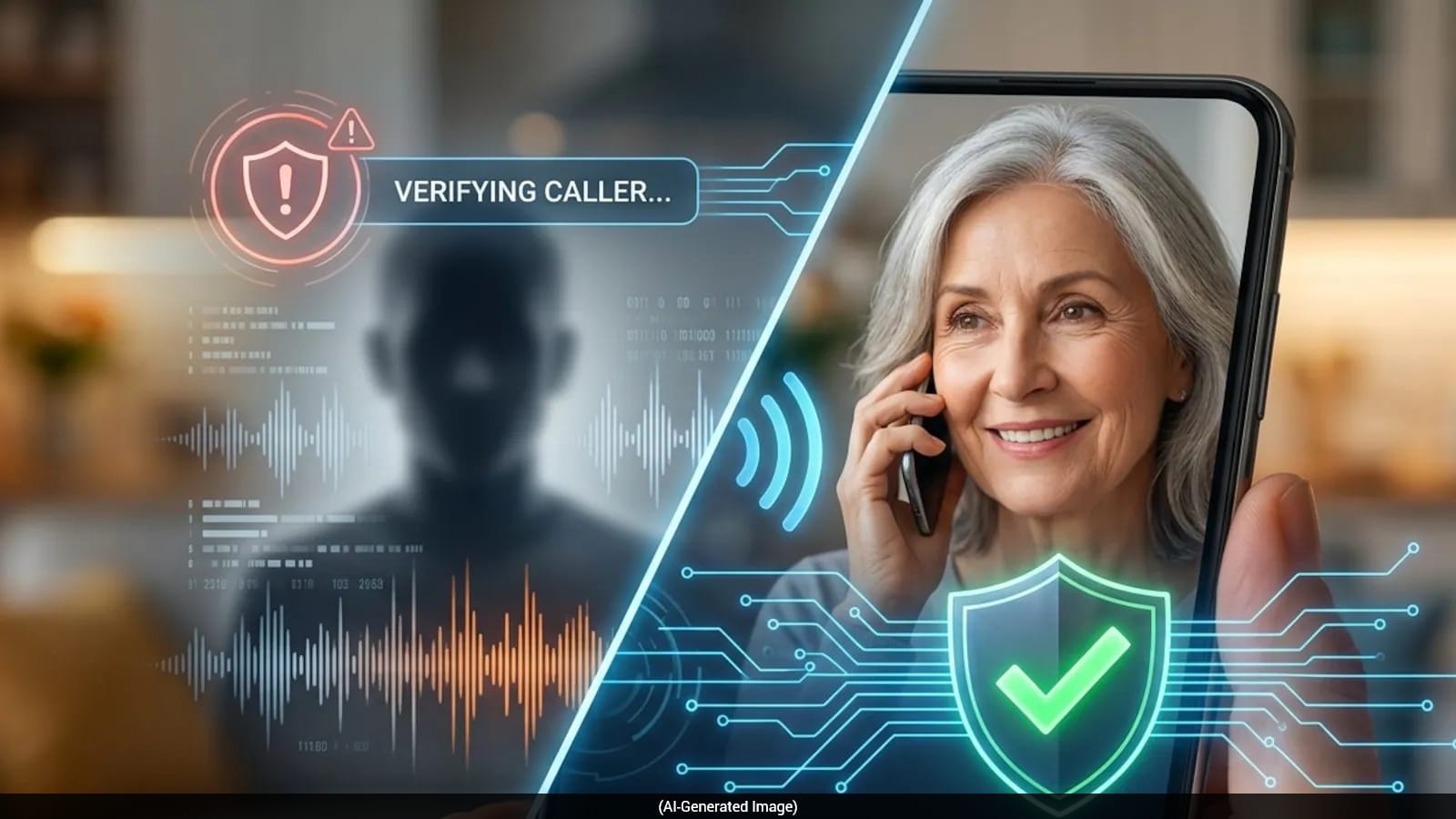
- Real-Time Verification: When an incoming call claims to be from someone in your contacts, your device silently pings the caller’s phone.
- Missing Signal Alerts: If the incoming call is a spoofed number controlled by a scammer, the verification signal won’t match. Your phone then double-checks with the actual device of your contact. If their phone confirms it isn’t placing a call, Android instantly warns you of a potential scam.
- Visual De-escalation: To prevent you from being visually tricked, the system removes your saved contact’s photo and changes the caller ID in your recent log to “Unknown”.
- Financial Protection Integration: Android also partners directly with major financial institutions globally to automatically alert or block spoofed calls claiming to be from your bank. [2, 5]
- Enabling AI-powered Scam Detection for SMS and text messages
- Managing Spam and Call Blocking settings on your device
- Recognizing common red flags in deepfake and impersonation scams [7]