


New cartoon avatars in Google Vids

New cartoon avatars in Google Vids
AI avatars in Google Vids provide a fast, cost-effective way to generate high-quality digital speakers. While photorealistic avatars are ideal for formal business, we are introducing new 2D and 3D cartoon-styled avatars that utilize expressive, stylized features to enhance emotional resonance and create a more approachable, universally engaging experience.
Click Here Open
Click Here Open
- Increase Engagement: Keep students focused on educational assignments, such as explaining complex math concepts.
- Lighten the Tone: Use “fun recaps” to summarize project results with a more approachable, lighthearted character.
- Broaden Your Reach: Connect with diverse audiences across different age groups and backgrounds.
Getting started
- Admins: No action required; there is no admin control for this feature.
- End users: Access these new styles directly in the Vids avatar panel. For more details, visit the Help Center.
Rollout pace
- Rapid Release domains: Gradual rollout (up to 15 days for feature visibility) starting on February 24, 2026
- Scheduled Release domains: Full rollout (1–3 days for feature visibility) starting on March 9, 2026
Availability
- Business Starter **, Standard, and Plus
- Enterprise Starter **, Standard, and Plus
- Essentials, Enterprise Essentials, and Enterprise Essentials Plus
- Nonprofits**
- Education Plus and Teaching and Learning add-on**
- Google AI Pro for Education add-on
- Google AI Pro and Ultra
Resources
- Workspace Updates Blog: AI avatars and AI voiceovers in Google Vids now available in seven new languages
- Google Help: Use AI avatars in Google Vids
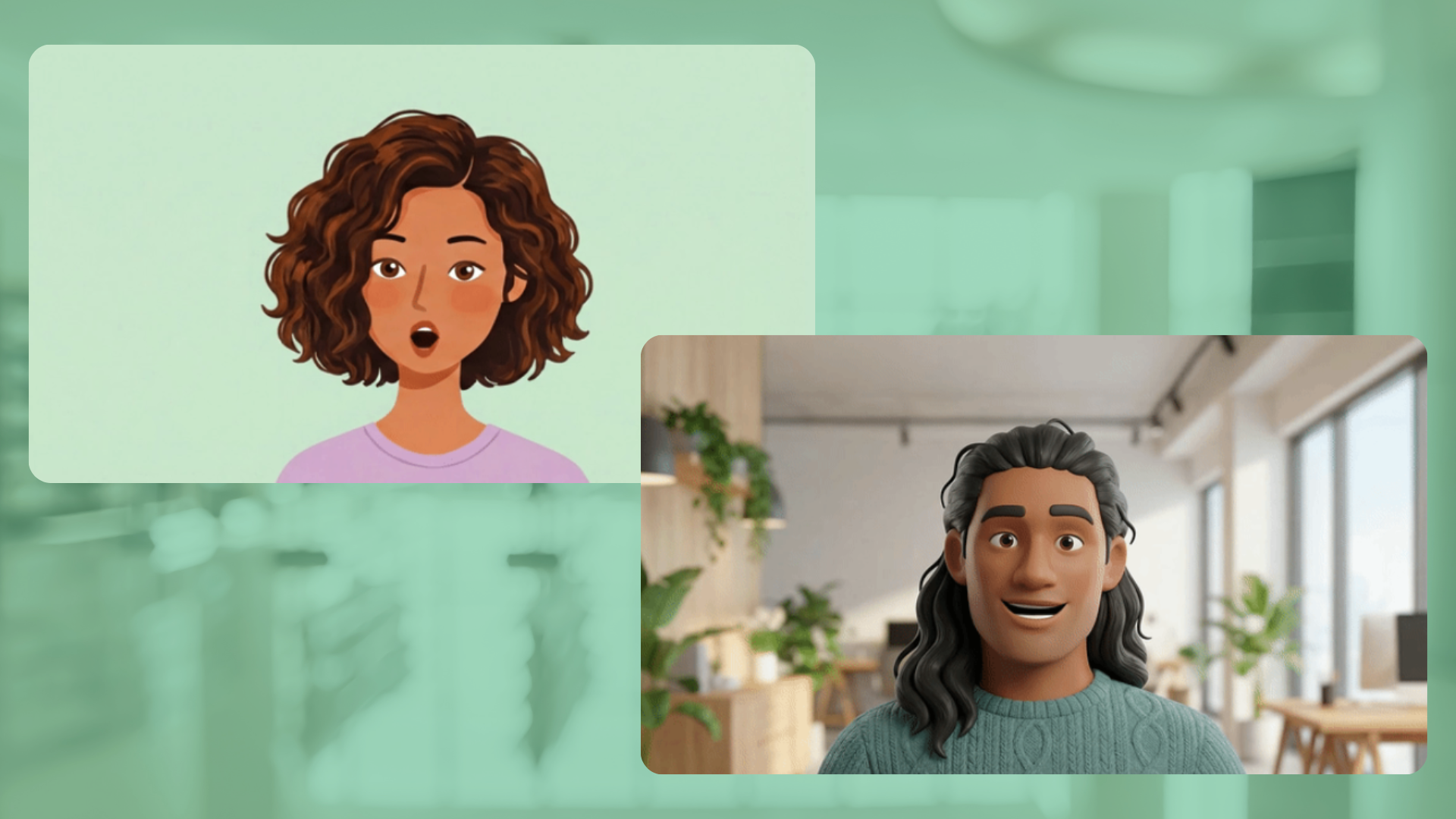
- Stylized 2D and 3D Options: You can choose from a variety of approachable cartoon characters, which are especially useful for lighthearted project recaps, academic assignments, or general training videos.
- Multilingual Support: The AI avatars and voiceovers support narration in multiple languages, including Spanish, French, German, Italian, Portuguese, Japanese, and Korean.
- Customization and Prompts: You can use simple text prompts to guide your avatars—directing their physical actions, refining their outfits, and placing them in specific environments.
- No Filming Required: Perfect lip-syncing and natural expressions are handled entirely by Google’s AI (powered by Veo), meaning you can create professional videos without ever needing a camera. [1, 2, 3, 4, 5, 6, 7]
How to Add Cartoon Avatars
- Open a video project or create a new file via Google Vids.
- Select the scene where you want your avatar to appear.
- Open the AI Avatars panel or click on the “Narrate with an AI Avatar” option.
- Type or paste your script (up to 900 characters per scene).
- Click Change below the script to choose your preferred 2D or 3D cartoon avatar from the library.
- Click Generate to let the AI create the synchronized talking avatar on your canvas
Read more
Google Vids: Generate custom music with Lyria 3
Generate video with Veo 3: Now available in Google Vids
Add avatars when you convert presentations to Vids
141. Add avatars when you convert presentations to Vids
142. Reclaim your time with Pause Point.
143. How were protecting you from scams and fraud
144. How Introducing Googlebook
145. The Android Show: I/O Edition | Googlebook
146. Introducing Gemini Intelligence
147. Android makes it easier to share, switch and connect securely
148. Use NotebookLM in your Google Workspace Studio flows
149. Generate video with Veo 3: Now available in Google Vids
150. What’s New in Android Security and Privacy in 2026
151. Helping founders build stronger AI products: Introducing Google for Startups Immersion
152. Catch the recap of The Android Show | I/O Edition!
153. Expanded options for header images in Google Forms
154. The Android Show: Developers Cut
155. The Android Show I/O Edition 2026: Everything Announced in 14 Minutes
156. My New Google Fitbit Air Commercial
157. Android-based all-in-one room devices from Neat and Logitech certified for Google Meet
158. Build tools with AI Studio to make your workday easier | Google AI Professional Certificate
for more refer Artificial Intelligence website click here